
PicsArt: Complete Guide to Features & Photo Editing 2026
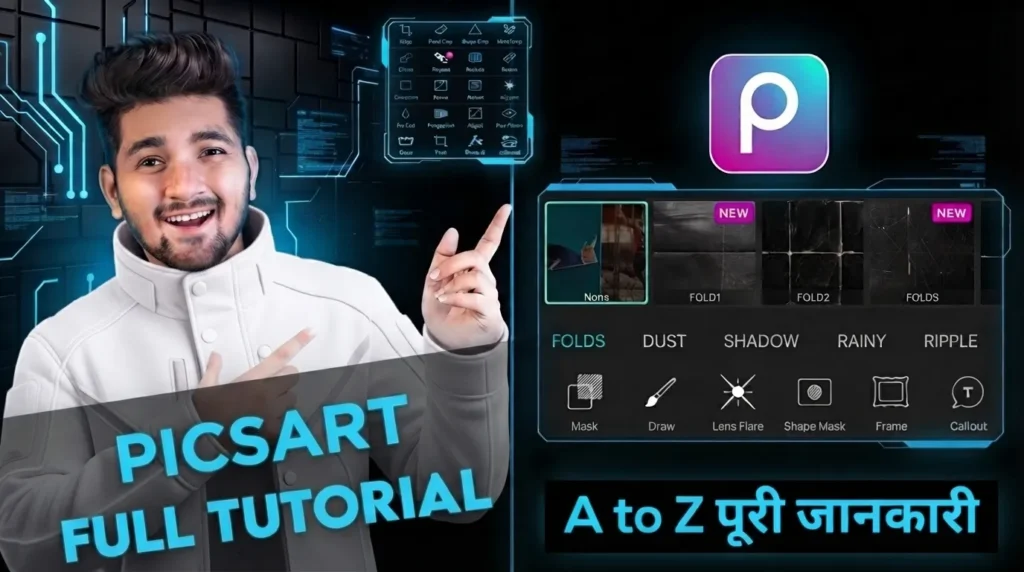
PicsArt is a versatile photo and creative editing platform that combines traditional photo-editing tools with AI-powered features, artistic effects, templates, stickers, text tools, background editing, and design capabilities., artistic effects, templates, stickers, text tools, background editing, and design capabilities.
It is designed for users who want to edit photographs, create social media content, make collages, produce marketing visuals, and experiment with creative image effects from mobile devices or the web. Its current toolset includes AI enhancement, background removal, object removal, AI-generated backgrounds, image generation, filters, effects, text, stickers, collage creation, resizing, and other creative tools.
This complete guide explains how PicsArt works, its major photo-editing features, AI tools, creative effects, design options, background tools, collage features, and practical uses. The platform can be useful for beginners who want simple one-tap editing as well as creators who want more control over individual elements of an image. Because its tools cover both photo editing and graphic creation, PicsArt can be used for everything from personal photographs and social posts to product images and promotional designs.
What Is PicsArt
PicsArt is an image-editing and creative design platform that provides tools for modifying photographs and creating visual content. Users can enhance images, remove backgrounds, erase unwanted objects, add text and stickers, apply filters and effects, create collages, generate AI backgrounds, and perform other creative tasks. The platform is available through mobile and web experiences, allowing users to work across supported devices.
One of the main strengths of PicsArt is the combination of conventional editing and AI-assisted creation. Instead of using a separate application for every task, users can perform image corrections, creative transformations, background changes, and design work within the same ecosystem. This makes it particularly useful for social media creators, photographers, students, marketers, small businesses, and casual users.
The platform also provides a large collection of templates, fonts, stickers, effects, and other creative assets. Its current platform highlights tens of thousands of templates and tools for social posts, marketing, e-commerce, personal projects, and other visual content.
Basic Photo Editing Tools
The basic editing tools in PicsArt are designed to help users make common corrections and prepare images for different purposes. Users can crop photographs, rotate images, resize them, adjust their appearance, and prepare content for different social media formats. These controls are useful for correcting composition before applying more advanced effects.
Cropping allows users to remove unwanted areas and create a more balanced composition. Rotation can correct the orientation of an image, while resizing can prepare a photograph for a particular platform or design. The platform also provides tools for resizing images for social media and batch workflows, which can be useful when multiple images need similar preparation.
PicsArt also provides image-quality tools such as sharpening, unblurring, upscaling, and restoration. AI Enhance can sharpen details, address blur, and balance colors, making it useful for older or lower-quality photographs.
AI Photo Editing and Enhancement
AI is an important part of the modern PicsArt editing experience. Its AI Enhance feature is designed to improve image quality by sharpening details, fixing blur, and balancing colors automatically. This can save time for users who do not want to manually adjust several individual image controls.
The platform also offers tools for unblurring, sharpening, upscaling, restoring old photos, and unpixelating images. Users interested in dedicated AI-based photo enhancement can also explore Remini for additional image restoration and enhancement options. These tools are useful when the original photograph has limited resolution or visible quality problems. The amount of improvement will naturally depend on the original image and the type of degradation present.
For creators who regularly work with large collections of photographs, AI-based enhancement can make repetitive editing tasks faster. However, users should still review AI-generated results before publishing them, particularly when accuracy and realistic details are important for professional or commercial images.
Background Removal and Background Editing
Background editing is one of the most useful capabilities in PicsArt. Its AI Background Remover can automatically separate the main subject from the surrounding background, leaving a transparent image or allowing users to replace the original setting. This is useful for portraits, products, social media graphics, logos, and other visual assets.
Users can also replace removed backgrounds with colors, gradients, photographs, preset scenes, or AI-generated environments. The AI Background Creator allows users to describe a desired environment with a text prompt and generate a new background that works with the selected subject.
PicsArt also provides background-related workflows for e-commerce and product photography. Businesses can remove distracting backgrounds, create cleaner product presentations, generate new scenes, or prepare transparent PNG assets. The platform’s background tools are also designed to handle subjects with details such as hair and fur.
Object Removal, Retouching, and Creative Editing
Object Remover and AI Retouching: PicsArt allows users to remove unwanted objects, people, text, marks, and distractions from photographs. Its AI-assisted retouching tools can also improve facial areas, skin, and other visual elements.
Background and Portrait Enhancement: Users can clean distracting elements from backgrounds and improve selfies, profile pictures, and social media photographs. These tools make quick corrections easier without requiring advanced manual editing skills.
Creative and Social Media Editing: After removing unwanted elements, users can combine filters, stickers, text, backgrounds, and effects to create customized images. These features are useful for preparing polished content for Instagram, TikTok, Facebook, and other platforms.
Creative Object Editing: PicsArt allows users to combine object removal, retouching, filters, stickers, text, and effects to create customized photographs. This makes it easier to transform simple images into polished and creative designs.
Professional Portrait Editing: Its portrait-focused tools can improve facial details, skin appearance, and overall image quality for profile pictures and social media content. Users can create cleaner results without needing advanced photo editing experience.
Filters, Effects, and Artistic Tools
| Feature | Description |
|---|---|
| Aesthetic Filters | Apply preset color and style adjustments to change the overall appearance of photographs. |
| Artistic Effects | Transform photographs into artwork-inspired visuals with creative effects. |
| Vintage Effects | Give images an old-fashioned appearance with nostalgic colors and textures. |
| Sketch Effects | Convert photographs into sketch or drawing-style artwork. |
| Watercolor Effects | Create a painting-like appearance inspired by watercolor artwork. |
| Color Effects | Adjust the colors and visual mood of photographs using creative presets. |
| Duotone | Creates an image using two dominant colors for a modern graphic appearance. |
| Double Exposure | Combines multiple images to produce artistic blended compositions. |
| Frames | Adds decorative borders around photographs for a finished presentation. |
| Creative Customization | Allows users to combine effects with filters, stickers, text, and other editing tools. |
These artistic tools make PicsArt useful for creators who want to experiment with different visual styles. A single photograph can be transformed into a vintage image, illustration-style design, colorful artwork, or modern social media graphic.
Text, Stickers, Collages, and Templates
| Feature | Description |
|---|---|
| Text Tools | Add titles, captions, quotes, labels, promotional information, and other written elements to photographs. |
| Font Library | Choose from different font styles to match the theme and purpose of a design. |
| Text Customization | Adjust text size, positioning, alignment, and appearance to create visually balanced compositions. |
| Stickers | Add emojis, decorative graphics, themed elements, and other visual assets to personalize images. |
| Collage Maker | Combine multiple photographs into a single composition for travel memories, birthdays, mood boards, and social media posts. |
| Templates | Use ready-made designs for social media posts, marketing materials, business content, and other creative projects. |
| Social Media Formats | Create content for Stories, Reels, TikTok videos, carousel posts, and other popular formats. |
| Creative Combinations | Combine text, stickers, filters, backgrounds, and effects to create customized designs rather than relying on a single preset. |
Templates can further simplify content creation by providing ready-made designs for different purposes. Users who are interested in combining photo editing with broader graphic design and ready-made templates can also explore Canva for additional creative design options.
AI Generation and Creative Features
AI generation expands PicsArt beyond traditional photo editing. Users can create images and other visual content from text prompts, generate backgrounds, and experiment with AI-powered creative tools. The AI Background Creator, for example, lets users describe the environment they want and generates background options based on the prompt.
The platform also promotes AI image generation and other generative features for social media, marketing, personal projects, and creative experimentation. Current tools include AI image generation, AI backgrounds, image-to-video workflows, AI-assisted editing, and other generative experiences.
These features can be useful when users need visual concepts that are difficult to capture with a camera. A marketer can experiment with campaign imagery, a creator can produce an unusual social media scene, and an e-commerce user can explore alternative product environments. Generated content should still be reviewed for accuracy, especially when used commercially.
Social Media, Business, and Professional Uses
PicsArt can be particularly useful for social media creators because it combines image editing with ready-made creative assets. Creators comparing different editing platforms can also explore Fotor for additional photo editing and creative design options. Users can prepare Instagram posts, Stories, TikTok content, carousel designs, and other social visuals using templates, effects, text, stickers, and resizing tools. The platform also supports batch resize and export workflows for creators working with multiple assets.
Businesses can use the platform to prepare product photographs, promotional graphics, advertisements, social media content, and marketing visuals. Background removal, AI-generated scenes, object removal, image enhancement, and product-focused editing tools can help businesses prepare visual assets more efficiently.
Photographers can also use PicsArt as part of a broader creative workflow. It can be useful for quick image enhancement, background cleanup, creative effects, social media preparation, and client-oriented visual experiments. However, users working on highly specialized professional photography projects may still prefer dedicated software for advanced RAW processing, extensive color management, or detailed professional retouching.
Export, Platforms, and Best Practices
PicsArt supports editing through mobile and web experiences, allowing users to create and modify visual content across supported devices. The platform states that work can sync across mobile and web, making it convenient for users who move between devices during their creative workflow.
When exporting an image, users should consider the destination and intended use. Social media posts, websites, advertisements, product listings, and print materials may require different dimensions and quality settings. For transparent graphics, PNG can be useful because it preserves transparency, while other formats may be more appropriate for standard photographs. PicsArt’s image tools support common formats including JPG, PNG, and WebP.
For the best results, PicsArt users should begin with a high-quality original image whenever possible. Basic corrections should normally be completed before adding heavy effects, and AI-generated changes should be checked carefully for unwanted artifacts. By combining enhancement, background editing, creative effects, text, and design tools selectively, users can create polished images without making the final result unnecessarily complicated.
Conclusion
PicsArt has developed into more than a basic photo editor by combining traditional image-editing tools with AI-powered enhancement, background removal, object removal, generative features, creative effects, templates, text, stickers, and collage creation. This broad feature set makes it useful for personal photography, social media content, business marketing, product images, and creative projects.
For beginners, the platform provides accessible tools that can produce noticeable improvements without requiring extensive editing knowledge. More experienced creators can combine multiple features to build customized compositions, remove distractions, replace backgrounds, generate creative scenes, and develop distinctive visual styles.
Overall, PicsArt is a flexible option for users who want photo editing and creative design capabilities in one platform. Its combination of conventional editing and modern AI tools gives creators multiple ways to transform photographs and produce visual content for different digital purposes.
2 Comments