
Master Photo and Video Editing Tools
Curated guides, in-depth reviews, and professional tutorials for digital creators.
In today’s digital world, visual content has become one of the most effective ways to communicate ideas, promote businesses, educate audiences, and entertain people. From social media posts and YouTube videos to marketing campaigns and professional photography, a reliable photo and video editing app can help creators produce high-quality content with ease. Having the right photo and video editing app makes it easier to edit images, enhance videos, apply creative effects, and bring ideas to life with professional results.
Photo and video editing apps have transformed the creative process by making professional-quality editing accessible to everyone. What once required expensive software and years of experience can now be achieved through intuitive desktop applications, mobile apps, and AI-powered online editors. From removing backgrounds with a single click to colour grading cinematic videos or restoring old family photographs using artificial intelligence, modern editing tools have become faster, smarter, and easier to use.
This website is your complete resource for discovering the best photo editing apps, video editing software, AI-powered creative tools, editing tutorials, feature comparisons, templates, beginner guides, and expert tips. Beginners can learn the basics step by step, while professionals can explore advanced editing software, powerful features, and expert techniques through reliable, up-to-date, and easy-to-understand content.
What Are Photo and Video Editing Apps
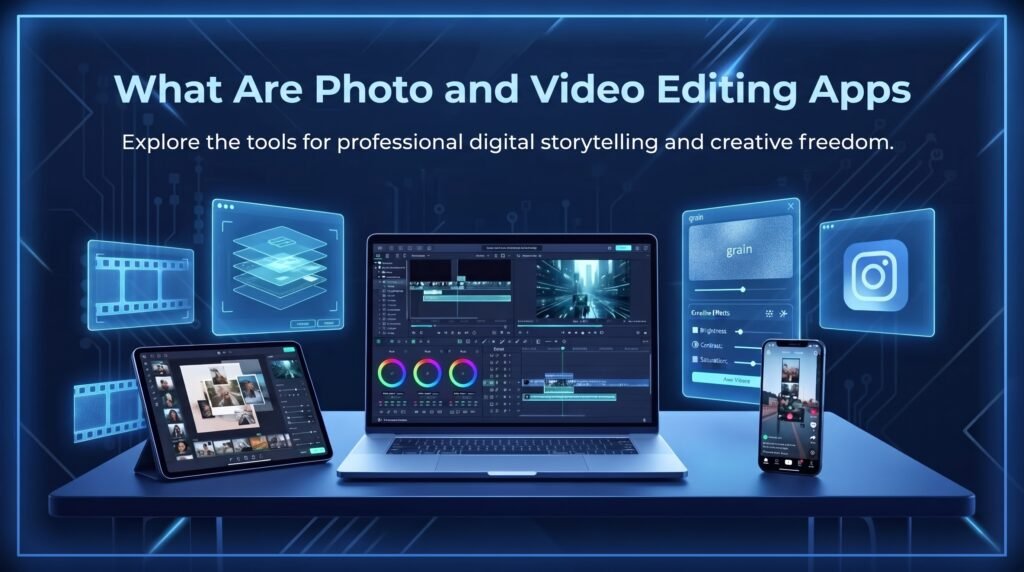
A photo and video editing app is software designed to help users create, edit, improve, and enhance digital photos and videos using a wide range of creative tools. These applications make it easy to crop images, adjust colours, remove unwanted objects, add text, apply filters, create animations, edit audio, and export content in high quality. They are used by photographers, content creators, businesses, educators, and social media users to produce visually appealing content for websites, presentations, and platforms like YouTube, Instagram, TikTok, and Facebook.
Modern editing applications have become much more powerful with the integration of artificial intelligence (AI). AI-powered tools can automatically enhance image quality, remove backgrounds, retouch portraits, generate subtitles, detect scenes, improve audio, stabilise shaky videos, and suggest creative edits with minimal effort. These smart features reduce editing time while helping users achieve professional-quality results without requiring advanced editing skills or expensive software.
Today, photo and video editing software is available across desktop computers, smartphones, tablets, and web browsers, making creative editing accessible from almost anywhere. Many applications also support cloud storage, real-time collaboration, ready-made templates, and one-click sharing to social media platforms. As digital content continues to grow in importance, these editing tools have become essential for anyone looking to create engaging, high-quality visuals quickly and efficiently.
Why Editing Apps Are More Important Than Ever
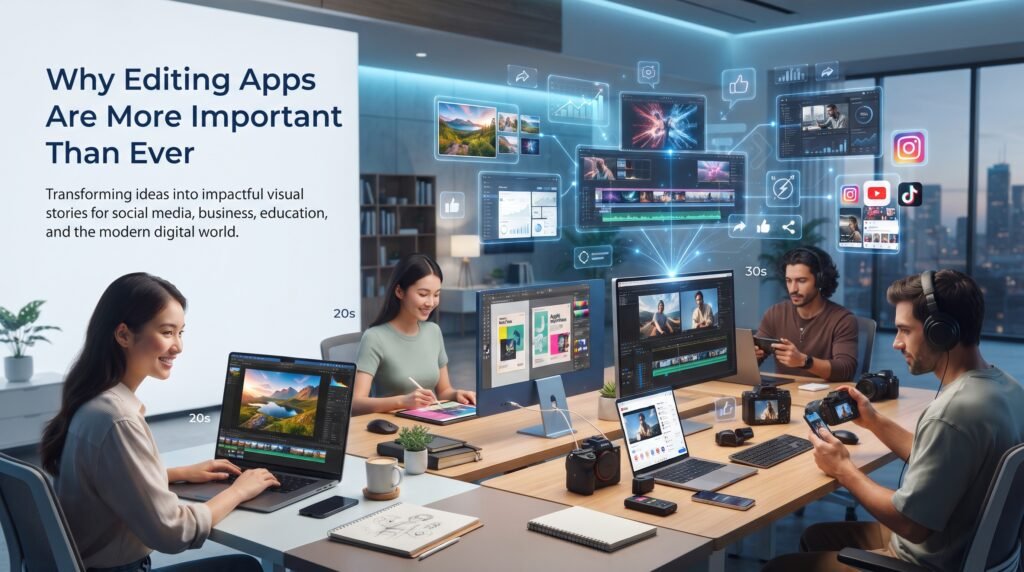
The demand for high-quality visual content continues to grow across every industry. Businesses rely on engaging graphics for marketing, educators create interactive learning materials, influencers publish polished social media posts, photographers enhance their portfolios, and video creators produce professional content for platforms such as YouTube, TikTok, Instagram, and Facebook. High-quality visuals help attract audiences, increase engagement, strengthen brand identity, and communicate ideas more effectively in today’s digital world.
A good editing application helps users:
- Improve photo and video quality: Enhance colours, adjust lighting, sharpen details, remove noise, stabilise videos, and optimise overall quality to create more professional-looking content.
- Save time with AI-powered automation: Use artificial intelligence to automate tasks such as background removal, object removal, portrait enhancement, subtitle generation, scene detection, and one-click image enhancement, reducing manual editing time.
- Create professional content without advanced skills: Built-in templates, filters, transitions, drag-and-drop tools, and AI-powered features make it possible for beginners to produce high-quality photos and videos with minimal experience.
- Maintain consistent branding across platforms: Apply the same colours, fonts, logos, effects, and editing styles across social media, websites, advertisements, and marketing materials to build a strong and recognisable brand identity.
- Produce content suitable for social media, websites, presentations, and marketing campaigns: Export photos and videos in different resolutions, aspect ratios, and file formats, ensuring they are optimised for platforms such as YouTube, Instagram, TikTok, Facebook, business websites, online stores, presentations, and digital advertisements.
As visual content continues to dominate online communication, photo and video editing apps have become essential tools for creators, businesses, students, marketers, and professionals. They simplify complex editing tasks, improve productivity, and help users create engaging, high-quality content that captures attention and leaves a lasting impression.
How To Choose The Right Editing App
Not every editing application is designed for the same purpose, and each tool offers different features, workflows, and levels of complexity. Before choosing an editing app, it is important to understand your specific requirements, such as the type of content you want to create, your skill level, preferred device, and the features you need.
Finding the Best Photo and Video Editing App starts with identifying the features that matter most for your projects. Choosing software that matches your creative goals, workflow, and experience level will provide a smoother editing experience and help you create high-quality photo and video content more efficiently.
Ease of Use
Ease of use is one of the most important factors when choosing an editing application, especially for beginners who are new to photo and video editing. Users should look for applications with simple interfaces, drag-and-drop editing, clear navigation, and ready-made templates that make the creative process easier. A user-friendly editing app allows beginners to understand tools quickly without feeling overwhelmed by complex features. Applications with tutorials, guided editing options, and automated features can help users create professional-looking content with less effort and a shorter learning curve.
Features
Features play an important role when selecting the right editing software because different applications are designed for different creative needs. Users should choose an editing app that provides the tools required for their specific projects, such as AI-powered editing, colour correction, background removal, multi-layer editing, video transitions, filters, effects, and advanced adjustment controls. Professional creators may need advanced features like RAW editing, motion tracking, keyframes, and colour grading, while beginners may prefer apps with templates, automatic enhancements, and simple editing tools. Selecting software with the right combination of features ensures a smoother workflow and helps users create high-quality content more efficiently.
Platform Compatibility
Platform compatibility is an important factor when choosing an editing application because not every software works on every device. Some applications are designed specifically for desktop computers, while others are available on Android, iPhone, Windows, macOS, or web browsers.
The Best Photo and Video Editing App should be compatible with the devices you use most frequently. Choosing software that supports your preferred platform ensures a smoother editing experience, better performance, and the flexibility to access and manage your projects whenever you need them.
Performance
Performance determines how smoothly an editing application handles different types of projects. Professional editing software usually requires powerful hardware with higher processing capabilities, especially for high-resolution images, 4K videos, and advanced effects.
The Best Photo and Video Editing App should deliver reliable performance on your device without unnecessary lag or slowdowns. Lightweight mobile editing apps are optimized to run efficiently on smartphones and tablets, while desktop software offers greater processing power for handling complex editing tasks and large creative projects.
Export Quality
Export quality is an essential factor when selecting an editing application because the final output determines how professional your content will look on different platforms. Users should choose software that supports high-resolution exports suitable for social media, websites, presentations, advertisements, and professional projects. A good editing app should provide options for different resolutions, file formats, frame rates, and compression settings to maintain the best possible quality. High-quality export features ensure that photos and videos remain sharp, clear, and visually appealing after publishing or sharing online.
Best Photo and Video Editing Apps
Below are some of the most popular photo editing applications available today. Each app offers a unique set of features, tools, and capabilities designed to meet different editing needs, from basic photo enhancement to advanced professional editing.
Choosing the Best Photo and Video Editing App depends on your skill level, creative goals, preferred platform, and the type of content you create. The following applications are trusted by millions of users worldwide for their performance, ease of use, and professional-quality editing features.

Adobe Photoshop
Adobe Photoshop is one of the world’s most powerful and widely used photo editing applications. It offers advanced tools for image manipulation, layer-based editing, object selection, photo retouching, compositing, and professional graphic design. Its AI-powered features and precise editing controls enable users to create everything from simple image enhancements to complex digital artwork with professional-quality results.
Adobe Photoshop is ideal for professional photo editing, graphic design, digital artwork, and advanced image manipulation. It is widely used by photographers, graphic designers, digital artists, marketers, and other creative professionals who need powerful tools to create, enhance, and transform high-quality visual content for print, web, and digital media.

Adobe Lightroom
Adobe Lightroom is a professional photo editing application that focuses on photo enhancement, colour correction, RAW image processing, and efficient photo management. Its non-destructive editing workflow allows users to make adjustments without permanently altering the original image, making it a preferred choice for photographers who want maximum editing flexibility and high-quality results.
Adobe Lightroom is ideal for professional photography, colour grading, portrait enhancement, landscape photography, and photo organisation. It is widely used by photographers, content creators, and creative professionals who need advanced tools to improve image quality, fine-tune colours, manage large photo libraries, and produce visually stunning photographs.

Canva
Canva is an easy-to-use graphic design platform that combines ready-made templates, AI-powered tools, and an intuitive drag-and-drop editor. It enables users to create social media graphics, presentations, logos, marketing materials, videos, documents, and other visual content quickly without requiring advanced design or editing experience.
Canva is ideal for creating social media posts, presentations, branding materials, business graphics, and marketing designs. It is widely used by businesses, marketers, students, educators, entrepreneurs, and content creators who need to produce professional-looking visual content quickly and efficiently with minimal design skills.

Snapseed
Snapseed is a powerful mobile photo editing application developed by Google that provides professional-level editing tools through a simple and user-friendly interface. It includes advanced features such as selective adjustments, healing tools, perspective correction, HDR effects, curves, creative filters, and RAW photo editing. With its combination of powerful controls and easy-to-use design, Snapseed allows both beginners and experienced photographers to enhance images and achieve high-quality results directly from their mobile devices.
Snapseed is ideal for mobile photography, portrait editing, and everyday photo enhancement. It is widely used by photographers, content creators, and smartphone users who want professional editing capabilities without relying on complex software. The app provides precise adjustment tools, creative effects, and powerful editing options that help users improve image quality and create visually appealing photographs quickly and easily.
PicsArt
PicsArt is a creative photo editing application that combines traditional editing tools with advanced artistic features such as stickers, filters, drawing tools, AI image generation, visual effects, and collage creation. Its wide range of creative options allows users to transform ordinary photos into unique and eye-catching designs. The app is especially popular among social media creators, influencers, and casual users who want to add artistic elements, custom effects, and engaging visuals to their content.
PicsArt is ideal for creative editing, social media graphics, artistic projects, and personalised photo designs. It is widely used by content creators, designers, and everyday users who enjoy experimenting with creative effects, digital artwork, photo manipulation, and customised collages. With its combination of easy-to-use tools and powerful creative features, PicsArt helps users create visually appealing content without requiring advanced editing skills.

Pixlr
Pixlr is a browser-based and mobile photo editing platform that provides quick, efficient, and accessible editing tools for both beginners and professionals. It offers features such as AI-powered background removal, creative filters, overlays, templates, and basic design tools that allow users to enhance images and create attractive visual content without the need for complex software. Its simple interface and online accessibility make it a convenient choice for users who want to edit photos quickly from any device.
Pixlr is ideal for quick edits, online image enhancement, and lightweight design projects. It is widely used by students, content creators, marketers, and casual users who need fast photo improvements without installing advanced editing applications. With its easy-to-use tools, AI features, and ready-made templates, Pixlr helps users create professional-looking images efficiently and with minimal editing experience.
Fotor
Fotor is an AI-powered photo editing and design platform that combines automatic enhancement tools with traditional editing features to simplify the creative process. It provides advanced features such as portrait enhancement, background removal, photo collage creation, AI-based image improvements, and marketing design tools that help users create high-quality visuals with minimal effort. Its intelligent editing capabilities make it a convenient option for users who want professional-looking results without spending hours on manual adjustments.
Fotor is ideal for portrait enhancement, AI-powered editing, and creating marketing visuals. It is widely used by content creators, businesses, marketers, and everyday users who need fast and effective editing solutions. With its automated tools, creative templates, and easy-to-use interface, Fotor helps users enhance images, design promotional materials, and produce attractive visual content quickly and efficiently.
VSCO
VSCO is a popular photo and video editing application known for its high-quality film-inspired presets and professional colour adjustment tools. It helps users create natural, aesthetic, and artistic visuals by offering advanced features for improving tones, colours, brightness, contrast, and overall image appearance. With its focus on minimalistic editing and creative expression, VSCO is widely used by photographers, content creators, and social media users who want to achieve a unique and polished visual style.
VSCO is ideal for photography, aesthetic editing, and social media content creation. It is widely used by users who want stylish, film-inspired edits and a consistent visual identity across their photos and videos. The app provides creative presets, precise editing controls, and professional colour tools that help users enhance their images while maintaining a clean and visually appealing look.

PhotoRoom
PhotoRoom is an AI-powered photo editing application designed specifically for background removal, product photography, and professional image creation. It uses artificial intelligence to automatically remove backgrounds, enhance product images, create custom scenes, and design marketing visuals with minimal effort. Its simple interface and automated editing tools make it easier for users to produce clean, professional-quality images without requiring advanced design skills.
PhotoRoom is ideal for product photography, online stores, e-commerce businesses, and marketing content creation. It is widely used by sellers, brands, entrepreneurs, and content creators who need professional product visuals quickly and efficiently. With its AI-powered features, ready-made templates, and custom design options, PhotoRoom helps users create attractive images for advertisements, online marketplaces, social media, and promotional campaigns.

Remini
Remini is an advanced AI-powered photo enhancement application designed to restore, improve, and transform image quality with the help of artificial intelligence. It can sharpen blurry photos, enhance facial details, restore old photographs, improve low-resolution images, and bring more clarity to pictures automatically. With its smart enhancement technology, Remini helps users improve the appearance of their photos and achieve clearer, more detailed results without requiring complex editing skills.
Remini is ideal for photo restoration, portrait enhancement, and AI-based image improvement. It is widely used by individuals, photographers, and content creators who want to revive old memories, enhance portrait quality, or improve the overall appearance of existing photographs. With its automated AI tools, Remini makes it easier to restore damaged images, increase sharpness, and create visually improved photos quickly and efficiently.

Facetune
Facetune is a popular portrait editing application designed specifically for enhancing selfies and personal photographs. It provides a variety of beauty-focused editing tools, including skin smoothing, facial adjustments, lighting improvements, teeth whitening, and other portrait enhancement features. With its easy-to-use interface and powerful retouching options, Facetune allows users to create polished and refined images while maintaining a natural appearance.
Facetune is ideal for portrait photography, selfie enhancement, and beauty-focused editing. It is widely used by influencers, content creators, photographers, and everyday users who want to improve their personal photos and create professional-looking portraits. The app helps users enhance facial details, adjust lighting, and apply subtle improvements to produce attractive and high-quality images for social media and personal use.

AirBrush
AirBrush is a user-friendly portrait editing application designed to provide quick beauty enhancements and professional-looking selfies. It offers AI-powered tools for skin retouching, facial adjustments, makeup effects, lighting improvements, and creative filters that help users enhance their photos with ease. Its simple interface and automated editing features make it suitable for users who want to improve portraits while maintaining a natural and realistic appearance.
AirBrush is ideal for selfies, beauty photography, and social media profile images. It is widely used by influencers, content creators, photographers, and everyday users who want fast portrait improvements and high-quality enhancements. With its beauty-focused tools, creative effects, and easy editing options, AirBrush helps users create polished and visually appealing photos quickly without requiring advanced editing skills.

B612
B612 is a popular camera and photo editing application that combines beauty filters, makeup effects, stickers, augmented reality (AR) features, and creative editing tools in one platform. It allows users to capture, enhance, and customise photos instantly with a variety of effects before sharing them on social media platforms. With its fun filters, real-time camera effects, and easy-to-use editing options, B612 helps users create attractive and personalised visual content quickly.
B612 is ideal for selfies, creative photography, and social media content creation. It is widely used by users who enjoy experimenting with fun filters, beauty effects, AR stickers, and quick photo customisation. The app is especially popular among social media enthusiasts, influencers, and casual photographers who want to enhance their photos and create engaging content without needing advanced editing skills.

CapCut
CapCut Complete Guide explains one of the most popular AI-powered video editing applications used by beginners, content creators, influencers, and social media professionals.It offers a wide range of advanced editing tools, including ready-made templates, transitions, visual effects, auto captions, motion tracking, background removal, keyframe editing, colour grading, and creative Slow Motion CapCut Templates. With its simple interface, creative tools, and powerful editing capabilities, CapCut enables users to create professional-quality videos quickly for various digital platforms.
CapCut is ideal for short-form videos, TikTok content, YouTube Shorts, Instagram Reels, and creative projects such as Photo Dump CapCut Templates. It is widely used by creators who want professional editing features combined with an easy-to-use mobile editing experience. With its extensive library of effects, Healing Thailand CapCut Template, music, filters, and AI tools, CapCut helps users produce engaging and visually appealing videos without requiring advanced editing knowledge.

VN Editor
VN Editor is a professional yet beginner-friendly video editing application that provides advanced timeline editing features with a simple and intuitive interface. It supports multi-layer editing, keyframe animations, speed control, smooth transitions, creative filters, text animations, music editing, and flexible export options. With its combination of powerful tools and easy workflow, VN Editor allows users to create high-quality videos while maintaining better control over their editing process.
VN Editor is ideal for social media videos, travel content, vlogs, cinematic edits, and creative video projects. It is widely used by content creators, influencers, and video editors who need more control over their footage while keeping the editing experience simple and efficient. With its professional features, customisation options, and user-friendly design, VN Editor helps users create engaging and polished videos for different digital platforms.
Adobe Premiere Pro
Adobe Premiere Pro is one of the leading professional video editing applications widely used by filmmakers, content creators, television producers, and businesses around the world. It provides advanced editing features such as multi-track timelines, professional colour grading, motion graphics integration, audio editing, visual effects, and support for high-resolution video formats. With its powerful workflow, advanced customisation options, and seamless integration with other creative tools, Adobe Premiere Pro is a preferred choice for producing complex and high-quality video projects.
Adobe Premiere Pro is ideal for professional filmmaking, commercial video production, documentaries, YouTube content, and advanced video editing projects. It is widely used by video editors, production teams, and creative professionals who need complete control over their projects and require powerful tools for editing, enhancing, and delivering professional-quality videos. Its extensive features and industry-standard capabilities make it one of the most trusted solutions for advanced video production.
DaVinci Resolve
DaVinci Resolve is an advanced all-in-one video editing application that combines professional video editing, Hollywood-quality colour grading, visual effects, motion graphics, and audio production tools in a single platform. It provides a complete post-production workflow that allows users to edit, enhance, colour correct, add visual effects, and produce high-quality videos without switching between multiple applications. Known for its powerful colour correction and grading capabilities, DaVinci Resolve is widely used by professionals who require precision, flexibility, and advanced creative control.
DaVinci Resolve is ideal for professional video editors, filmmakers, colourists, production studios, and content creators working on high-quality video projects. It is widely used by professionals who need advanced editing tools, cinematic colour grading, visual effects, and professional-level production features. With its comprehensive set of tools and powerful workflow, DaVinci Resolve helps users create polished and visually impressive videos for films, commercials, online content, and other professional projects.
Final Cut Pro
Final Cut Pro is Apple’s professional video editing software designed exclusively for macOS users who need powerful, efficient, and reliable editing capabilities. It offers advanced features such as magnetic timeline editing, high-performance rendering, multi-camera editing, professional colour correction, motion graphics, and advanced media management tools. With its optimized performance and seamless integration with Apple hardware, Final Cut Pro provides a smooth editing experience and is widely used by filmmakers, video editors, and creative professionals for creating high-quality video content.
Final Cut Pro is ideal for Mac users, filmmakers, professional content creators, and video editors who require fast performance and advanced editing features. It is widely used for producing high-quality videos, documentaries, commercials, online content, and professional video projects. With its powerful editing workflow, efficient performance, and professional-grade tools, Final Cut Pro helps creators achieve precise editing results while taking full advantage of the macOS environment.

Filmora
Filmora is a beginner-friendly video editing application that combines simple editing tools with powerful creative features to help users create professional-looking videos easily. It includes built-in effects, transitions, ready-made templates, AI-powered editing tools, text animations, audio controls, and an intuitive drag-and-drop editing system. With its simple interface and easy learning process, Filmora allows beginners and casual editors to create engaging videos without requiring advanced technical knowledge or professional editing experience.
Filmora is ideal for beginners, YouTube creators, students, educators, and content creators who want professional results with a simple editing workflow. It is widely used by users who need an easy-to-understand video editing solution for creating tutorials, social media videos, presentations, and creative projects. With its combination of powerful features and user-friendly design, Filmora helps users produce high-quality videos quickly and efficiently.

KineMaster
KineMaster is a powerful mobile video editing application that brings advanced editing capabilities directly to smartphones and tablets. It supports professional features such as multi-layer editing, chroma key (green screen), smooth transitions, animations, audio editing, visual effects, and high-quality video exports. With its combination of advanced tools and a mobile-friendly interface, KineMaster allows users to create detailed and professional-looking videos without needing desktop editing software.
KineMaster is ideal for mobile video editing, social media content, short-form videos, and creators who prefer editing directly from their smartphones. It is widely used by content creators, influencers, vloggers, and beginners who want access to professional editing features in a convenient mobile environment. With its powerful editing tools, creative effects, and flexible workflow, KineMaster helps users produce engaging and high-quality videos for different digital platforms.

PowerDirector
PowerDirector is a feature-rich video editing application that combines AI-powered tools with professional editing capabilities to provide a complete video creation experience. It offers advanced features such as timeline editing, motion tracking, visual effects, transitions, colour adjustments, fast rendering, and automated editing tools that help users create high-quality videos efficiently. With its combination of beginner-friendly controls and advanced creative features, PowerDirector provides flexibility for users who want powerful editing options without a complicated workflow.
PowerDirector is ideal for intermediate users, YouTube creators, businesses, and content producers who need efficient performance and advanced editing features. It is widely used for creating professional videos, marketing content, tutorials, social media videos, and other digital projects. With its AI-powered enhancements, creative effects, and fast processing capabilities, PowerDirector helps users produce polished and engaging videos with greater ease and control.

iMovie
iMovie is Apple’s free video editing application designed specifically for beginners and everyday creators who want to produce high-quality videos with ease. It provides simple yet effective editing tools, including ready-made templates, transitions, titles, audio editing, cinematic effects, and easy sharing options. With its clean and intuitive interface, iMovie makes video creation simple and accessible for users who want to edit, enhance, and share polished videos without requiring advanced editing skills.
iMovie is ideal for beginners, Apple users, students, and casual content creators who need a simple video editing solution. It is widely used for creating personal videos, social media content, school projects, vlogs, and basic professional-looking video projects. With its user-friendly features, smooth performance, and integration with Apple devices, iMovie helps users create attractive videos quickly and efficiently.
AI Is Changing Creative Editing
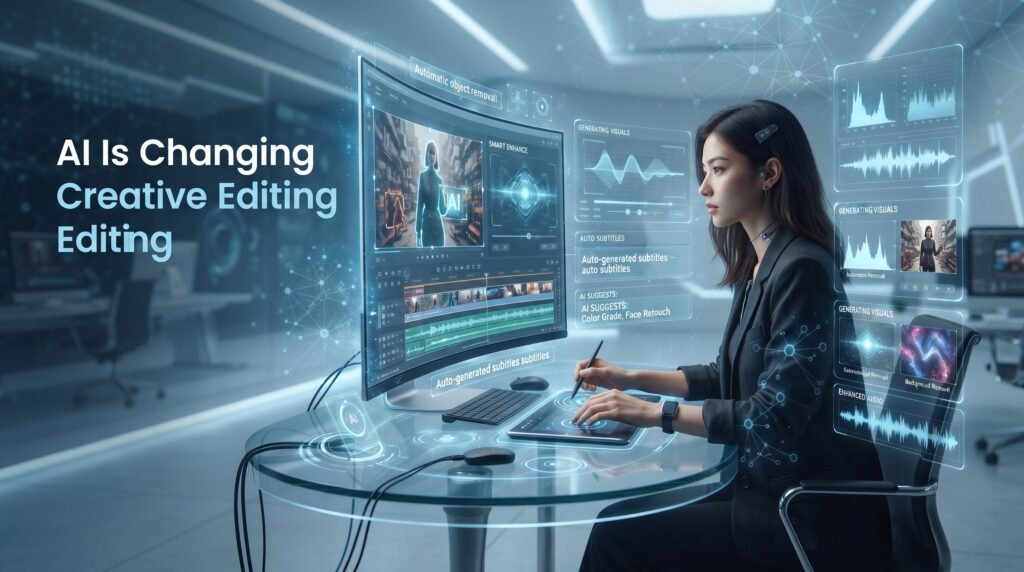
Artificial intelligence (AI) is rapidly transforming the future of photo and video editing by making creative workflows faster, smarter, and more accessible for users of all skill levels. Modern AI-powered editing tools can automatically remove backgrounds, generate images from text prompts, enhance photo quality, restore old photographs, improve blurry images, create subtitles, enhance audio, suggest layouts, and automate complex editing processes that previously required advanced technical knowledge and professional skills.
The Best Photo and Video Editing App now includes intelligent AI features that help creators achieve professional-quality results with less effort. These advanced tools analyze images, videos, colours, objects, and scenes to provide automatic improvements, making editing more efficient and creative. From AI-powered retouching and smart object removal to automatic video enhancement and content generation, artificial intelligence is changing how people create visual content.
These intelligent features save valuable time, reduce repetitive manual tasks, and allow creators to focus more on storytelling, creativity, and producing engaging content. As AI technology continues to evolve, it is becoming an essential part of modern editing software used by photographers, designers, marketers, businesses, and content creators worldwide.
What You’ll Find on This Website
Our goal is to help you choose the best photo and video editing tools by providing accurate, easy-to-understand, and unbiased information. Whether you’re a beginner looking for your first editing app or a professional searching for advanced creative software, this website offers well-researched content to help you make informed decisions. Every guide is written with clarity and practical insights, ensuring you understand each application’s features, strengths, limitations, and ideal use cases.
On this website, you’ll find a wide range of helpful resources, including:
- Detailed App Reviews: Comprehensive reviews covering the features, performance, pricing, advantages, and limitations of popular photo and video editing applications.
- Complete Feature Guides: In-depth explanations of editing tools, AI features, templates, filters, effects, transitions, and professional editing capabilities.
- Step-by-Step Tutorials: Easy-to-follow guides that teach you how to use editing apps, apply creative techniques, and improve your editing skills.
- Template Collections: Information about popular templates, creative styles, trending designs, and collections such as Lofi Dusk Templates, along with guidance on how to use them effectively for different types of content.
- AI Tool Explanations: Detailed guides on modern AI-powered editing features such as background removal, image enhancement, object removal, automatic subtitles, AI image generation, and smart editing tools.
- Comparison Articles: Side-by-side comparisons of popular editing apps to help you understand their differences, strengths, and which one is best suited for your specific needs.
- Beginner and Advanced Editing Guides: Learning resources for users of all skill levels, from basic editing techniques to advanced professional workflows.
- Tips and Best Practices: Practical advice, expert recommendations, editing shortcuts, and creative techniques to help you achieve better results and improve your workflow.
- Frequently Asked Questions (FAQs): Clear answers to common questions about editing software, features, compatibility, pricing, and best practices.
- Latest Updates About Editing Apps: Stay informed about new features, AI innovations, software updates, upcoming tools, and industry trends in the world of photo and video editing.
Every article published on this website is carefully researched and written to help readers understand how each application works, what features it offers, who it is designed for, and how it compares with other editing tools. Our aim is to provide trustworthy, up-to-date, and easy-to-follow information so you can confidently choose the right editing software for your creative projects.
Final Thoughts
Photo and video editing software has become an essential part of modern creativity. Whether you’re editing family photos, designing marketing materials, producing YouTube videos, managing a business brand, or building a social media presence, choosing the right editing application can dramatically improve both your workflow and the quality of your content.
Our mission is to provide trustworthy, in-depth, and regularly updated information about the world’s best photo and video editing applications. As new features, AI tools, and creative technologies continue to evolve, this website will remain your reliable source for expert guides, detailed tutorials, honest comparisons, and practical advice to help you create with confidence.