
Photo Dump CapCut Template for Trendy Video Edits in 2026
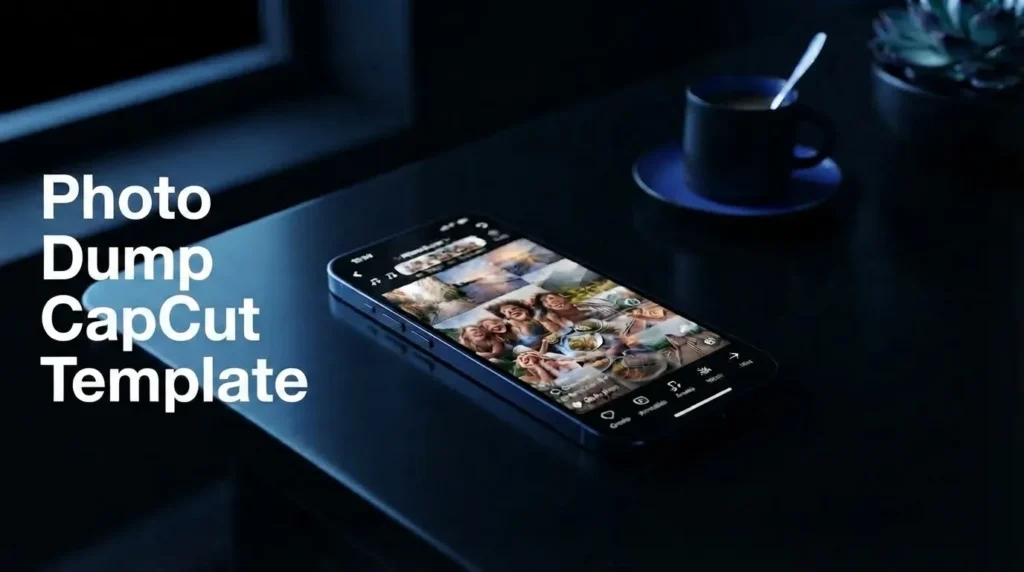
Sometimes, a collection of random photos tells a better story than a perfectly planned post. A sunset during a weekend getaway, coffee with friends, a slightly blurry street shot, your favorite selfie, or a screenshot you’d almost forgotten can capture the essence of a moment in a way that overly polished content often fails to do. This idea drives the growing popularity of “photo dump” videos on TikTok, Instagram Reels, and YouTube Shorts.
The CapCut photo dump template offers a simple way to turn those scattered memories from your gallery into a short video. Instead of manually organizing every photo, choosing every transition, and adjusting the duration of every scene, you can start with a ready-made template and insert your own images. CapCut places them into the preset structure, giving the collection a smoother, more cohesive visual flow.
Photo dump edits aren’t limited to a specific aesthetic. You can find templates based on minimalist designs, vintage aesthetics, retro music, birthdays, couples, travel memories, and everyday moments. The best choice depends on the photos you use and the vibe or mood you want to convey with the final video.
If you’re looking for more practical resources on editing apps and creative tools, visit UniversalEdit. There, you’ll find guides, tutorials, template ideas, and useful information to optimize your photo and video editing workflow.
One thing I’ve noticed about photo dump edits is that the photos don’t have to be perfect for the video to be engaging. Mixing flawless images with spontaneous moments often conveys a greater sense of closeness and authenticity—which largely explains why this format works so well on social media.
Why photo dumps dominate the algorithm
The appeal of photo dump videos lies in their casual, personal vibe. Instead of meticulously editing every single image, you can gather snapshots from a trip, a night out, a birthday, a day with friends, or even ordinary moments from your week. A CapCut “photo dump” template gives these photos a clear visual structure without making the content look overly artificial or polished.
Manually arranging 20 or 30 photos can take longer than expected, especially if you want each image to appear at just the right moment, accompanied by the right transitions and music. A ready-to-use template handles much of this structural work, allowing you to focus on selecting the photos that truly go well together. Once you’ve added your photos, CapCut applies preset transitions, animations, timing, and effects based on the template you chose. This lets you preview the result and make adjustments where needed, rather than building the entire video from scratch.
Stay up to date with new trends
Social media editing trends can shift rapidly. A style that grabs attention today might be replaced by a different format or audio track within weeks; that’s why the ability to create content quickly is so useful when you want to jump on a current trend.
Using the right Photo Dump Template can give you an edge. You can add your own photos, see how they fit the rhythm, and customize the edit before sharing it on TikTok, Instagram Reels, or YouTube Shorts.
I’ve found that it’s more important for the template to complement your photos than to simply pick the most popular one. A trending template might have thousands of users, but if its pacing or visual style doesn’t match your memories, the final video can feel disjointed.
Choose photos that convey a similar vibe, pay attention to the music, and remove any images that don’t add to the story. These small choices can make a preset template feel much more personal—and less like a mere imitation of a trend.
Choosing the Perfect Template Style for Your Content
Choosing a photo dump template isn’t just about picking the design that looks attractive in the preview. The template should match the mood, pacing and type of photos you’re planning to use. A collection of holiday pictures may work better with slow transitions and warm colors, while a random camera roll can benefit from quicker cuts and playful effects.
CapCut offers different template styles for travel memories, fashion photos, birthdays, couples, everyday moments and other types of content. Some focus on clean layouts and subtle movement, while others use nostalgic filters, energetic transitions or music-driven effects.
Before choosing one, preview the complete template and check how quickly the photos change. If your best pictures only appear for a fraction of a second, a slower design may give them more impact. You can also explore different versions until you find a balance between your images, music and the story you want to share.
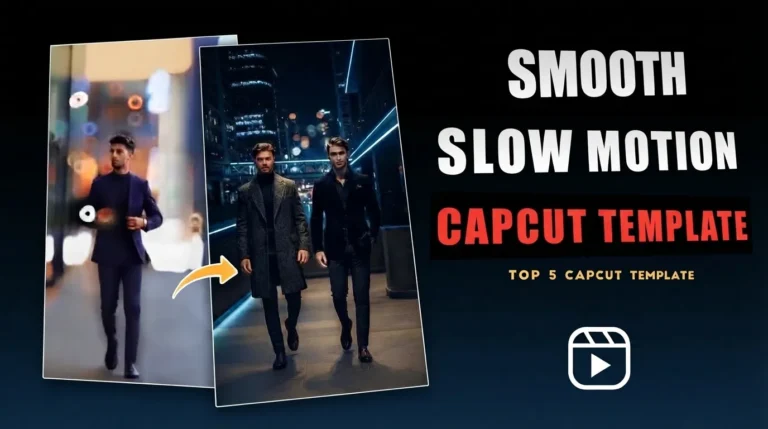
If you enjoy more cinematic video editing, you can also explore the Slow Motion CapCut Template for ideas involving speed changes, smooth movement and dramatic transitions.
Aesthetic Styles: Minimal and Vintage
Minimal Photo Dump CapCut Template
A minimal template works well when you want your photos to remain the main focus. Clean transitions, subtle zooms and simple visual effects can create a modern appearance without making the edit feel crowded.
This style fits fashion photos, café visits, travel diaries, architecture, lifestyle photography and other collections where a clean presentation works better than heavy effects.
Retro or Vintage Photo Dump CapCut Template
For a nostalgic look, vintage templates can add elements such as film grain, warm tones, light leaks and old-camera effects. These details can make recent photos feel like snapshots from another era.
They work particularly well with travel memories, childhood pictures, weekend adventures and relaxed lifestyle content. Pairing the edit with suitable lo-fi or classic-style music can strengthen the nostalgic mood.
For peaceful travel content, you can also explore the Healing Thailand CapCut Template, which uses a softer cinematic approach for scenic and lifestyle footage.
High-Energy Styles: Trending and Random
Photo Dump Trend CapCut Template
Trending templates are useful when you want your photo dump to follow a popular editing style on TikTok or Instagram Reels. Depending on the template, you can find quick cuts, beat-based timing, animated text and energetic transitions.
These edits can work well with fashion collections, nights out, parties and other content where a faster pace matches the energy of the photos. Just remember that trends change quickly, so check the current audio and template availability before publishing.
Random Photo Dump CapCut Template
A random photo dump doesn’t need a single theme. You can combine selfies, food, pets, screenshots, friends, travel moments and completely ordinary snapshots from your camera roll.
This style works best when you want the video to feel spontaneous rather than carefully planned. Quick transitions and varied photo timing can give the edit the same unpredictable character as a real camera roll.
Storytelling Styles: Slideshow and Memories
Photo Dump Slideshow CapCut Template
A slideshow template is a good choice when you want viewers to actually appreciate each photo. Instead of switching images rapidly, these templates often use gentle fades, slow zooms and controlled movement.
They’re particularly suitable for travel albums, family gatherings, graduation photos and photography collections where individual images deserve more screen time.
Memories Photo Dump CapCut Template
Memory-focused templates are built around emotion and storytelling. They may begin with a short title or message before moving through a collection of meaningful moments.
This format can work beautifully for holidays, summer memories, school years, achievements and yearly recaps. Choosing photos that follow a loose timeline can make the final video feel more like a story than a collection of random images.
Special Occasions: Birthday, Couple and Cute Styles
Birthday Photo Dump CapCut Template
Birthday templates bring together moments such as getting ready, decorations, cake cutting, gifts and celebrations. Colorful effects, upbeat music and festive transitions can give the video a cheerful character.
Instead of adding every photo from the event, select the moments that best capture the atmosphere. A shorter collection of strong images will usually feel more engaging than a video packed with similar shots.
CapCut templates for photo dumps: Couples and cute styles
Templates designed for couples and cute themes are perfect for capturing romantic memories, anniversaries, friendships, pets, and everyday moments with special people. Smooth transitions, heart effects, and soothing music create a warm, inviting visual atmosphere.
These templates aren’t limited to romantic content. The same style works beautifully for memories with friends, family moments, or a collection of small, meaningful experiences.
The key is choosing a template that enhances your photos rather than competing with them. When the rhythm, music, and visual style align naturally, even a simple selection of photos from your gallery can become a memorable short video.
Step-by-Step: How to Import and Export Your Video

Creating a photo dump video in CapCut is easy, even without prior video editing experience. A preset template already includes the timing, transitions, animations, and basic effects; all you need to do is choose photos that match the style. In just a few minutes, you can turn your memories into a video ready for TikTok, Instagram Reels, YouTube Shorts, and other platforms.
Find a photo dump template
Start by opening CapCut and browsing the templates section. You can also discover templates on TikTok or other social media platforms where creators share their edits.
Look for a style that complements your photos—such as aesthetic, vintage, retro, birthday, couples, travel, or simple slideshow designs. Preview the template before selecting it, paying attention to the photo transition speed and the number of media slots required.
Open the template in CapCut
Once you find a suitable design, open the template page and select “Use template.” If you access it via a post on a compatible social network, the template should open directly in CapCut.
The template already includes the transitions, effects, animations, and basic timing. This means you don’t have to do all the editing manually, although you can make further adjustments after adding your photos.
Add your photos
Select photos from your gallery based on the number of slots the template offers. Some templates may require only a few images, while others support much larger collections.
Try to choose photos that share a similar mood or tell a simple story. For example, a travel montage could start with the journey and move on to the destination, the food, the activities, and finally, a sunset or a closing shot.
After adding the images, watch the preview from start to finish. Make sure faces aren’t awkwardly cropped and that the important parts of each photo remain visible.
Review and customize the edit
CapCut will automatically create the video following the template’s preset structure. Now is the time to check if the selected photos truly match the music and rhythm.
If a photo doesn’t look right, replace it with another one. You can also adjust the crop or make other available edits to improve the composition. Don’t feel obligated to use every photo you initially selected; often, removing an image that doesn’t add much makes the entire sequence look cleaner.
Export and share your video
When you’re happy with the final result, tap “Export” and choose a resolution suitable for your original photos and the platform where you’ll be posting the video. Generally, 1080p is a practical choice for social media, though you can opt for higher resolutions if available and the source material allows for it.
If your version of CapCut offers an option to export the template without a watermark, you can select it before saving. Once exported, view the final file on your phone to check the framing, image quality, and timing before uploading it to TikTok, Instagram Reels, YouTube Shorts, or any other platform.
Content Optimization Tips for Creators
Using a CapCut template for a photo dump can handle much of the editing work, but the template alone doesn’t determine the video’s final quality. Your choice of photos, the opening shot, the music, the text, and the overall pacing remain crucial. A few thoughtful tweaks before posting can make the edit feel more personal and better capture attention on TikTok, Instagram Reels, and YouTube Shorts.
Start with your best photo
The opening image is one of the first things viewers see, so don’t pick it at random. Select a photo that instantly conveys the vibe of your compilation such as a beautiful travel landscape, a memorable moment with friends, or a visually striking portrait.
Your best photo doesn’t necessarily have to be the most perfect or polished one. Sometimes, a candid or unexpected shot sparks more curiosity than a carefully posed picture.
Mix photos with short video clips
A photo dump doesn’t have to consist solely of still images. Adding a few short video clips can introduce natural movement and add variety to the sequence.
For example, you could pair a sunset photo with a brief clip of crashing waves, a group photo with a few seconds of laughter, or a travel snapshot with a moving street scene. This variety helps keep transitions from feeling repetitive.
Keep text brief and purposeful
Text can provide context, but too many words can distract from the visuals. Short phrases like “Recent memories,” “Weekend recap,” “Life lately,” or “Summer moments” are usually enough to set the theme.
Position the text so it doesn’t obscure faces or important details. If the template already includes animated text, check its placement and timing before exporting the video.
Choose music that matches the mood
Music has a huge influence on how viewers perceive your photo dump. Mellow audio can complement travel memories and aesthetic collections, while upbeat or nostalgic tracks work best for parties, fashion shots, or casual moments with friends.
If you decide to use trending audio, listen to the full track before editing. The most popular audio isn’t always the best fit; it also needs to harmonize with the mood and pacing of your photos.
Use high-quality photos
Start with sharp photos that have plenty of detail and good lighting. Images that are overly dark, blurry, or heavily compressed can look worse when integrated into a video and viewed on larger screens. Try to include some variety in your collection. Mixing wide shots, portraits, close-ups, and candid moments can create a better visual rhythm than a series of nearly identical photos.
Give your photos room to breathe
One mistake I’ve noticed when editing photo dumps is trying to include too many images simply because the template allows for it. If the photos change too quickly, viewers might not have enough time to appreciate the moments.
Choose images that add to the story and remove less interesting duplicates. A shorter, carefully curated collection is usually more engaging than a sequence cluttered with similar images.
Conclusion
visually cohesive. Instead of spending time arranging every image, creating transitions, and syncing every moment to the music, you can start with a pre-made structure and focus on selecting the photos that best represent your memories.
There are many styles to explore: from clean, minimalist designs to vintage, retro, or “aesthetic” edits, as well as themes for birthdays or couples. The ideal template should complement your photos, not overshadow them; so, consider the mood, pacing, and music before making your choice.
For the best results, use sharp images, intersperse a few short video clips where appropriate, and keep the text simple. Reviewing the final edit before posting also helps you spot unflattering crops, rushed transitions, or photos that don’t quite fit the sequence. “Photo dump” content works because it conveys a sense of greater authenticity and closeness. You don’t need a perfect collection of photos to create something people will enjoy watching. A few meaningful moments, the right template, and a well-curated selection of photos are all it takes to transform everyday memories into a video worth sharing.
One Comment