Anime CapCut Templates for Trending Anime Video Edit in 2026
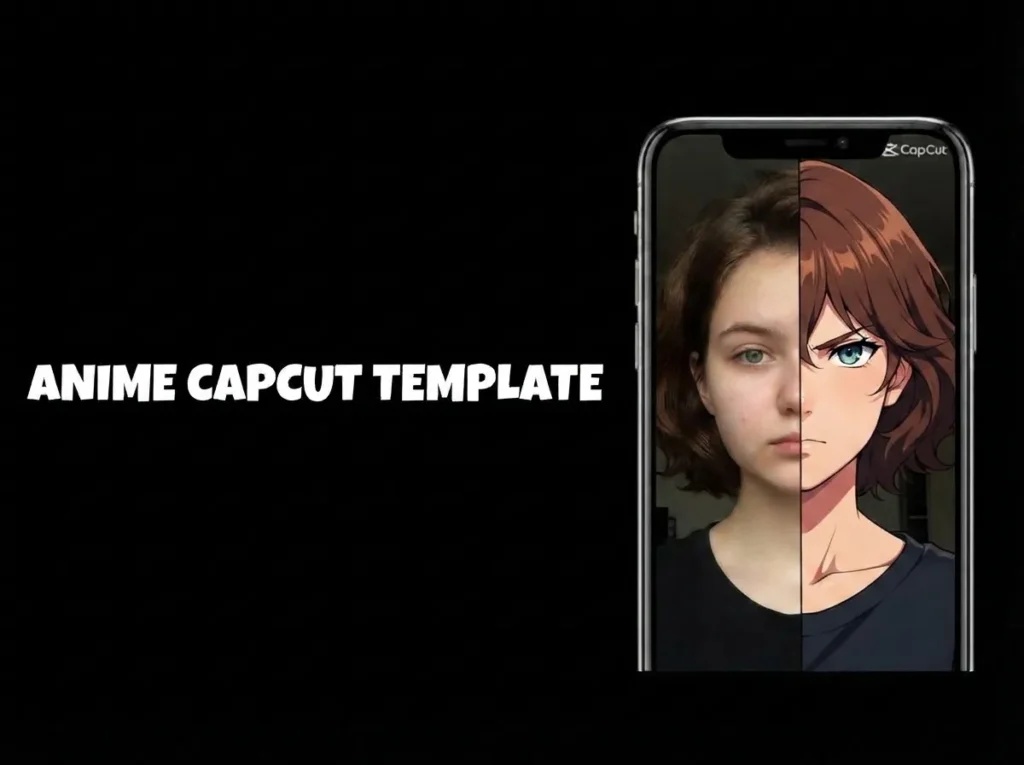
Anime edits have a unique way of turning a memorable scene into something even more dramatic. An intense battle, an emotional character moment, a transformation sequence, or even a subtle expression can become far more captivating when paired with the right music, timing, and visual effects. That is one reason why CapCut anime templates continue to attract creators on TikTok, Instagram Reels, and YouTube Shorts.
These ready-to-use templates provide a starting point, saving you from having to create every part of the edit from scratch. You can add your favorite anime clips or images and let CapCut apply preset transitions, speed changes, animations, effects, and music synchronization. Afterward, you can review the result and make adjustments wherever the template allows.
Anime capcut templates cover a wide range of styles. Some are designed for dynamic battle edits and speed effects, while others focus on emotional scenes, character transformations, visual aesthetics, or trending audio. The best template will depend on the tone of your footage and the story you want to convey through the edit.
For beginners, this approach makes experimenting with anime editing much easier. You don’t need to master every advanced editing tool before creating your first video. Start with a suitable template, learn how its effects work, and gradually experiment with your own timing, clip selection, and visual adjustments.
If you are looking for more practical editing resources, visit UniversalEdit. There, you will find guides, tutorials, creative templates, and useful information on photo and video editing tools for various types of creators.
Why Use an Anime CapCut Template
Creating an anime edit manually can be quite time-consuming. You might need to sync clips to the beat, adjust speed changes, add transitions, color-grade the footage, and place effects at precise moments. A CapCut anime template offers a ready-made structure, making it easier to create a polished edit without having to build every element from the ground up.
This Anime CapCut Template, is a useful option that can serve as a starting point for experimenting with popular anime editing styles. Depending on the template, you’ll have access to music synchronization, transitions, animations, speed effects, and preset visual treatments that work together as part of the edit.
Create Different Anime Editing Styles
Anime capcut templates aren’t limited to action scenes. You can use them for intense combat sequences, character transformations, emotional moments, relationship edits, or aesthetic montages. The footage you choose should match the template’s energy and pacing so the final video feels cohesive rather than just a random compilation.
Save Time During Editing
One of the main advantages is the reduction of repetitive editing tasks. Instead of manually adjusting every transition or syncing every clip, you can simply insert your own footage into the available slots and let the template generate the initial version.
This is especially useful if you frequently create short-form content. It allows you to spend more time finding interesting scenes and less time repeating the same technical adjustments.
Give Beginners an Easier Starting Point
You don’t need advanced editing skills to experiment with anime videos. A template lets you see how different effects, timing, and transitions interact; it also helps you learn by analyzing the structure of the preset design.
Once you’re comfortable with the basic workflow, you can start making your own modifications and, eventually, create your anime edits from scratch.
Create Content for Short-Form Platforms
Anime edits are a perfect fit for short-form video platforms, as a single impactful scene can convey a lot in just a few seconds. Templates help structure these moments for TikTok, Instagram Reels, and YouTube Shorts.
For the best result, don’t rely on effects alone. A strong scene, suitable music and precise timing will usually have more impact than simply adding more visual effects.
Key Features of Trending Templates
Beat-Synced Editing
Music can make a big difference in an anime edit, especially when scene changes happen at the right moments. Many templates use preset timing to align clips with the rhythm of the selected audio, helping action scenes, character reveals and transitions feel more connected.
This saves you from manually checking every beat and moving each clip into position. Good timing can make a simple collection of anime scenes feel much more intentional.
Advanced Visual Effects
Anime templates can include a combination of effects such as camera shakes, flashes, motion blur, glow, speed changes and color adjustments. These effects can add extra energy to fight scenes or give emotional and character-focused moments a more cinematic appearance.
The exact effects depend on the template, so it’s worth previewing the edit before choosing one. Adding too many effects can sometimes distract from the anime scene itself, so a template with effects that complement your footage is usually the best choice.
Easy Multi-Platform Editing
Most short-form anime content is shared through platforms such as TikTok, Instagram Reels and YouTube Shorts, where vertical video is commonly used. Templates designed for these formats can make it easier to create an edit that fits the mobile screen without rebuilding the composition from scratch.
Before exporting, check the framing of important characters, subtitles and text. A correctly framed video will usually look better than one with important details cut off after uploading.
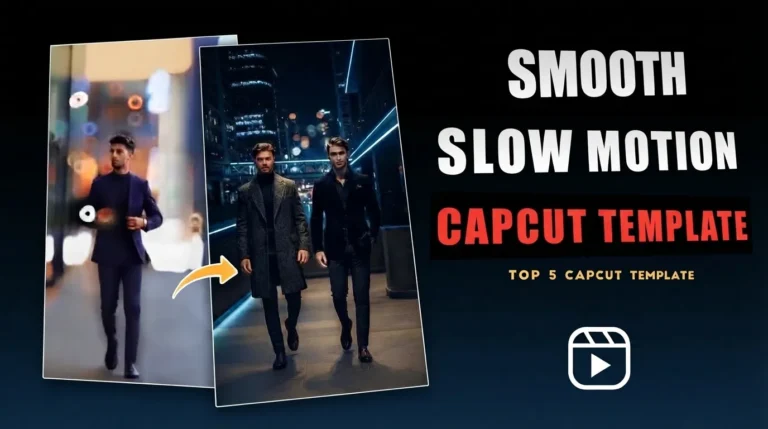
If you’re interested in experimenting with dramatic speed changes and smoother action sequences, check out our Slow Motion CapCut Template guide for additional editing ideas.
How to Find and Use the Newest Templates
Step-by-Step: How to Use an Anime CapCut Template
Making an anime edit in CapCut doesn’t have to involve complicated timeline editing or manually adding every transition. An Anime CapCut Template provides a ready-made editing structure where you can add your own anime clips or images and then adjust the result to suit your style. The process usually takes only a few steps, from finding a suitable template to exporting the finished video.
1. Choose an Anime CapCut Template
Start by looking through CapCut’s template section or finding templates shared by creators on platforms such as TikTok. Pay attention to the preview before choosing one because different templates can have very different pacing, music, transitions and visual effects.
Try to pick a template that matches the type of anime content you’re editing. A fast-paced design may suit a fight scene, while a slower template can work better for emotional moments or character-focused edits.
Once you’ve found a suitable option, open the template and select Use Template to begin editing.
2. Add Your Anime Clips or Photos
The template will normally show how many photos or video clips you need. Select the required media from your device and add it to the available slots.
For better results, choose clips that match the template’s pacing. Strong source footage matters more than adding lots of effects, so use clear scenes where the characters and important action remain easy to see.
If you’re working with screenshots or anime images, check their resolution and cropping before moving forward. This can help prevent important parts of a character or scene from being cut off.
3. Check the Automatic Edit
After adding your media, CapCut will create the initial edit using the template’s preset timing, transitions, animations and other effects. Watch the complete video instead of judging it from individual clips.
Look for awkward crops, poorly timed scenes or moments where an important character isn’t positioned correctly. If the template allows editing after the media has been added, replace unsuitable clips or adjust their framing until the sequence feels more natural.
You can also make small changes to text, filters, music or other available settings if you want the edit to feel less like the original template.
4. Preview the Final Video
Before exporting, watch the video from beginning to end on your phone. Check the timing of major scene changes, character positioning and the overall relationship between the visuals and music.
A final preview can catch small problems that aren’t obvious while you’re selecting clips. This is especially useful for anime edits where fast transitions can make a cropped face, subtitle or action moment easy to miss.
If something doesn’t look right, go back and make the necessary adjustments before saving the final version.
5. Export and Share
Once you’re happy with the edit, tap Export and select an available resolution that matches your source footage and the platform you’re planning to use. For most social media videos, 1080p can provide a good balance between image quality and file size.
If CapCut provides a watermark-free export option for the template you’re using, you can select it before saving. After exporting, check the finished video once more to make sure the quality and framing look correct.
Your anime edit can then be shared on platforms such as TikTok, Instagram Reels and YouTube Shorts. If you’re experimenting with dramatic action scenes, you can also explore our Slow Motion CapCut Template guide for ideas on creating smoother speed-based edits.
Choosing the Right Template Style
Choosing an Anime CapCut Template is easier when you first consider the type of footage you’re working with. A fast fight sequence needs a different editing rhythm than an emotional character scene, so the right combination of pacing, music and effects can make the final video feel much more natural.
If you’re also interested in photo-based edits, check out our Photo Dump CapCut Template guide. It covers different ways to turn a collection of photos into a short video using transitions, animations and suitable music.
The table below compares several common anime template styles and the type of content they can work well with.
| Template Style | Best For | Visual Vibe | Related Keyword |
|---|---|---|---|
| Velocity Ramp | High-energy fight scenes and fast action sequences | Speed ramps, beat-based cuts and dynamic movement | Anime Velocity CapCut Template |
| Aesthetic Lo-Fi | Emotional moments, slice-of-life scenes and relaxed edits | Soft colours, film grain, light leaks and gentle fades | Aesthetic Anime CapCut Template |
| Beat Sync Shake | Character reveals, action scenes and dramatic transitions | Screen shakes, quick zooms, flashes and beat-synced effects | Anime Shake Effect CapCut Template |
| Glow-Up Photo Edit | Character transformations, cosplay and before-and-after edits | Glow effects, image animations and cinematic transitions | Anime Photo Edit CapCut Template |
Velocity Ramp Anime Templates
Velocity templates are a good match for scenes with noticeable movement. Speed changes can highlight attacks, transformations and fast camera movements while the music provides the rhythm for the edit.
This style works particularly well when your source clips already have strong action. The footage should carry the scene, while the velocity effects add emphasis rather than becoming the main attraction.
Aesthetic Lo-Fi Anime Templates
For softer and more emotional content, an aesthetic lo-fi template can create a completely different atmosphere. Film grain, muted colors, light leaks and slower transitions can give anime scenes a nostalgic appearance.
This approach can suit character memories, friendship scenes, romance moments and slice-of-life footage. It also works well when you want the music and visuals to feel calm instead of highly energetic.
Beat Sync Shake Templates
Shake templates focus on movement and rhythm. Screen shakes, flashes, zooms and quick cuts can be timed around the music to give important moments extra impact.
They’re useful for character introductions, powerful attacks and dramatic reveals. However, too many shake effects can make an edit difficult to watch, so templates with controlled movement may produce a cleaner result.
Anime Photo Edit Templates
Anime capcut templates can also be created around still images instead of video clips. Character artwork, screenshots, wallpapers and cosplay photos can be animated with zooms, transitions, glow effects and other visual treatments.
This style is useful when you want to create a character showcase, transformation edit or simple fan video without collecting multiple video clips.
Keep Exploring Different Anime Styles
Anime editing trends can change quickly across TikTok, Instagram Reels and YouTube Shorts. New templates may introduce different combinations of music, transitions, speed effects and animations, giving creators more ways to experiment with familiar scenes.
Rather than choosing a template only because it’s trending, preview it alongside the type of footage you plan to use. A template that matches your clips will usually feel more natural than one chosen purely for its popularity.
Trying different styles can also help you learn how timing, transitions and effects work together. Once you’re comfortable with these elements, you can begin modifying templates more creatively or use what you’ve learned to build your own anime edits from scratch.an also explore the Healing Thailand CapCut Template, which is perfect for travel videos, relaxing visuals, and aesthetic storytelling.
Conclusion
CapCut anime templates make it easy to transform your favorite scenes, character moments, and anime images into short videos without having to handle every aspect of the editing process manually. Pre-configured transitions, music synchronization, animations, and visual effects provide a helpful starting point, especially if you are new to video editing.
There are templates suited to various types of content. The best choice is one that harmonizes with your footage, music, and editing style, rather than simply picking the most popular option.
You can experiment with “velocity edits” for action scenes, softer templates for emotional moments, or photo-based designs to highlight characters and create fan edits. Trying out different styles will also give you a better understanding of the timing, transitions, and effects you can apply to your own projects.
Before publishing, preview the full video and check the framing, timing, and overall visual flow. A well-chosen template, combined with impactful clips and thoughtful customization, will help you create an anime edit with a more personal and professional touch for TikTok, Instagram Reels, and YouTube Shorts.