
Adobe Photoshop: Complete Guide & Editing Features 2026
Adobe Photoshop: Complete Guide is a powerful resource for understanding one of the most widely used photo editing and graphic design platforms. Adobe Photoshop: Complete Guide is a powerful resource from UniversalEdit for understanding one of the most widely used photo editing and graphic design platforms.It covers advanced tools for photo retouching, layers, masks, selections, color correction, background removal, typography, compositing, filters, and AI-powered editing.
From simple image adjustments to complex creative projects, Photoshop provides flexible controls for photographers, designers, artists, marketers, and content creators. Its combination of traditional editing tools and modern AI features makes it useful for both beginners and experienced professionals.
What Is Adobe Photoshop
Adobe Photoshop: Complete Guide is one of the world’s most widely recognized image editing and graphic design resources. It covers photo retouching, graphic design, digital art, compositing, typography, and creative image manipulation. The software is used by photographers, designers, marketers, artists, content creators, and professionals across many industries. Its extensive collection of editing tools makes it suitable for simple corrections as well as highly complex creative projects.
Adobe Photoshop: Complete Guide also explains how the software works with different image formats while providing extensive control over individual design elements. Users can crop photographs, correct colors, remove unwanted objects, replace backgrounds, create selections, work with layers, add text, and apply filters. Its adjustment layers, masks, smart objects, and other non-destructive features allow creators to experiment without permanently damaging their original artwork. This flexibility makes Photoshop valuable for professional creative workflows.
Another major strength covered in Adobe Photoshop: Complete Guide is its ability to combine multiple images into a single composition. Designers can place photographs, illustrations, text, shapes, graphics, and effects into one project while controlling each element independently. Advanced selections, blending modes, layer effects, and transformation tools provide detailed visual control for creative projects. This makes Photoshop useful for social media graphics, thumbnails, advertising campaigns, digital artwork, and professional photo composites.
Photo Editing and Retouching
Adobe Photoshop: Complete Guide provides a comprehensive collection of tools for improving photographs and correcting common image problems. Users can adjust brightness, contrast, color, exposure, saturation, sharpness, and other visual properties through various editing controls. The application also includes tools for removing blemishes, unwanted objects, distractions, and imperfections from photographs. These capabilities make Photoshop valuable for portrait photographers, product photographers, advertisers, and everyday creators.
Portrait retouching is another important part of Adobe Photoshop: Complete Guide, covering tools such as the Healing Brush, Spot Healing Brush, Clone Stamp, Patch Tool, and other retouching features. Skin imperfections can be reduced, distracting background elements can be removed, and specific areas can be corrected without changing the entire image. Professional retouching requires careful adjustments, and Photoshop provides detailed control for producing subtle and natural-looking results.
For photographers, Adobe Photoshop: Complete Guide also explains how Photoshop can work alongside RAW-processing applications such as Adobe Lightroom. A photographer may first organize and develop photographs before moving selected images into Photoshop for detailed retouching, compositing, or creative manipulation. This combined workflow is useful for portraits, commercial photography, wedding photography, fashion campaigns, and creative projects. Photoshop therefore works as both a standalone editor and a powerful part of a larger photography workflow.
Layers, Masks and Selections
Layers are one of the most important concepts explained in Adobe Photoshop: Complete Guide because they allow creators to work on different elements independently. Each layer can contain photographs, text, shapes, adjustments, or other visual elements without permanently changing the layers beneath it. Users can rearrange layers, hide them, duplicate them, change their opacity, and apply blending modes. This makes complex designs much easier to organize, edit, and modify.
Layer masks are another powerful feature covered in Adobe Photoshop: Complete Guide, providing precise control over the visibility of different areas within a layer. Instead of permanently deleting part of a layer, users can hide selected areas through a mask and restore them later when needed. Masks are particularly useful for background replacements, photo composites, selective color corrections, and creative effects. They allow designers to make precise changes while keeping the original image information available.
Selection tools are also an essential part of Adobe Photoshop: Complete Guide, allowing users to isolate specific parts of an image for editing. Photoshop includes Marquee tools, Lasso tools, Object Selection, Quick Selection, and Magic Wand, along with more advanced selection capabilities. AI-assisted selection can help identify subjects and other elements more quickly. Combining selections with masks and layers gives creators detailed control over individual parts of an image.
AI-Powered Features and Generative Editing
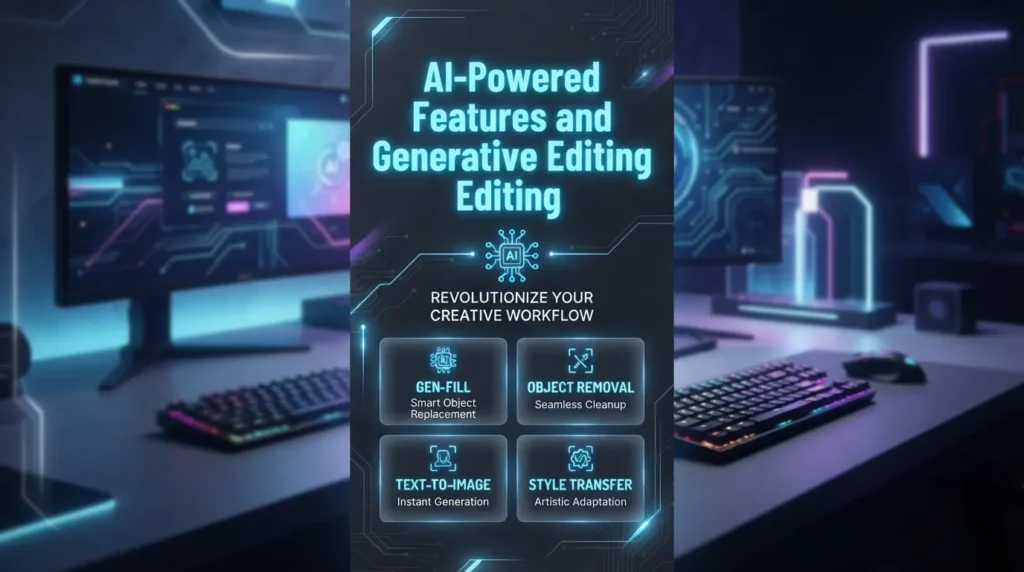
Artificial intelligence has become an increasingly important part of Adobe Photoshop: Complete Guide, particularly through Adobe Firefly-powered generative features. Generative Fill allows users to select an area of an image and describe what they want to add, remove, or modify using a text prompt. The system can generate visual content that blends with the surrounding image, making certain editing tasks much faster than traditional manual methods.
Generative Expand is another useful feature discussed in Adobe Photoshop: Complete Guide, allowing users to extend the boundaries of an image beyond its original dimensions. This can be useful when a photograph needs additional space around the subject or when a composition needs to fit a different aspect ratio. Instead of manually creating the missing areas, users can allow the generative system to produce content that matches the existing scene. Creators can then review the generated results and select the version that best fits their composition.
Adobe Photoshop: Complete Guide also covers AI-assisted tools that can speed up selections, object removal, image expansion, and other repetitive editing tasks. These features are particularly helpful for creators who need to experiment with multiple concepts quickly. AI does not remove the need for creative judgment because generated results may still require refinement and manual adjustments. Combining automation with traditional editing tools gives users greater flexibility throughout the creative process.
Graphic Design, Typography and Creative Tools
Adobe Photoshop: Complete Guide is not limited to photography because it also provides extensive graphic design capabilities. Designers can create posters, advertisements, social media graphics, website visuals, banners, thumbnails, promotional artwork, and other digital assets. For creators looking for a simpler design platform, Canva also provides an accessible way to create social media graphics, marketing materials, presentations, and other visual content.For creators working on short-form content, exploring a TikTok Trending Try CapCut Template can provide additional ideas for creating engaging social media visuals.
Shapes, paths, brushes, gradients, patterns, layer styles, and blending modes can be combined to create complex visual compositions. The application provides a flexible creative workspace where photographs and graphic elements can work together effectively.
Typography is another important part of Adobe Photoshop: Complete Guide, allowing users to add headings, captions, logos, promotional messages, and other text elements to their projects. Text can be transformed, styled, aligned, and combined with layer effects to create different visual treatments. Designers can work with installed fonts and adjust properties such as size, spacing, alignment, and color. These controls make Photoshop useful for creating professional marketing materials and digital graphics.
Brushes and painting tools also play an important role in Adobe Photoshop: Complete Guide, expanding the creative possibilities for digital artists and designers. Users can work with different brush shapes and settings to create illustrations, textures, painted effects, sketches, and conceptual artwork. Photoshop supports pressure-sensitive workflows with compatible drawing devices, making it suitable for artists who use graphics tablets. These capabilities allow the application to function as both a professional photo editor and a versatile digital art platform.
Creators who also work with short-form video can explore the CapCut Complete Guide to learn more about video editing tools, templates, effects, transitions, and other features used for social media content.
Color Correction, Filters and Effects
Color correction is a fundamental part of Adobe Photoshop: Complete Guide and can dramatically change the appearance of a photograph or design. Users can control brightness, contrast, hue, saturation, curves, levels, color balance, and other properties to achieve a desired appearance. For users looking for an easy-to-use online photo editing platform, Fotor is another useful option for creating and enhancing visual content.
Adjustment layers are particularly useful because they allow color changes to remain editable. This gives creators greater control while reducing the need to permanently modify the original pixels.
Photoshop also provides numerous filters and creative effects, as explained in Adobe Photoshop: Complete Guide, for transforming images and developing different visual styles. Blur effects can create softness or depth, sharpening can enhance detail, and artistic filters can produce distinctive appearances. Other effects can create distortion, texture, lighting changes, and stylized results. Filters should be applied carefully because excessive effects can make an image look unnatural or reduce important visual detail.
Blending modes and layer effects are additional creative features covered in Adobe Photoshop: Complete Guide. Designers can combine layers using different blending relationships to create highlights, shadows, color effects, textures, and composite imagery. Layer styles can add shadows, strokes, glows, bevels, and other visual treatments to text and shapes. Together, these tools make Photoshop highly flexible for realistic corrections, professional designs, and creative experimentation.
Background Removal, Compositing and Advanced Editing
Removing backgrounds is a common task covered in Adobe Photoshop: Complete Guide, and Photoshop offers various ways to accomplish it. Users can make selections around subjects, use automatic subject detection, refine edges, and place the selected subject onto a new background. This is useful for product images, portraits, advertising materials, thumbnails, and social media designs. Precise edge refinement is particularly important when working with hair, fur, transparent objects, or complex backgrounds.
Image compositing is another key topic addressed in Adobe Photoshop: Complete Guide, as it allows multiple photographs or visual elements to be combined into a single final image. A designer can place a person in a different setting, combine multiple photos, create surreal artwork, or craft a commercial advertising composition. During this process, layers, masks, selections, blending modes, and adjustment layers work together. Careful lighting and color matching help the various source images appear to naturally belong to the same scene.
Adobe Photoshop: Complete Guide also covers advanced transformation and perspective tools for adjusting the position and shape of visual elements. Objects can be resized, rotated, distorted, warped, or transformed to fit a composition. Perspective adjustments help align objects with backgrounds, products, buildings, and architectural scenes. These capabilities are especially valuable for professional designers and photographers working on detailed composites, advertising projects, and artistic visual creations.
File Support, Workflow, Performance and Professional Use
Adobe Photoshop: Complete Guide explains how Photoshop supports a wide range of file formats, enabling creators to work with photographs, graphics, illustrations, and design projects. The PSD format is particularly important, as it preserves layers, masks, adjustment layers, text, and other editable project elements. Photoshop also supports common formats such as JPEG, PNG, TIFF, GIF, and other compatible image types. Choosing the right format depends on the intended use of the final image and the amount of editing information that needs to remain accessible.
Adobe Photoshop: Complete Guide also covers professional workflows, including Photoshop’s integration with other Adobe applications. For instance, photographers can use Lightroom to manage catalogs and process RAW files before opening selected photos in Photoshop for advanced retouching. Designers can also move projects between Photoshop, Illustrator, InDesign, and other Creative Cloud applications based on specific project needs. Adobe’s interconnected ecosystem further facilitates collaboration, asset management, and accessibility through compatible workflows.
Performance considerations are another key aspect addressed in Adobe Photoshop: Complete Guide, as editing speed depends on the computer’s processor, graphics hardware, RAM, storage, operating system, project size, and the number of active layers or effects. Large documents, high-resolution photos, complex Smart Objects, and AI-powered features can demand significant system resources. Maintaining sufficient free storage space and using appropriate hardware can enhance the overall editing experience. For professionals who regularly handle large-scale projects, using hardware that meets or exceeds Adobe’s current requirements can make intensive workflows run much more smoothly.
Conclusion
Adobe Photoshop remains one of the most comprehensive creative applications for photographers, designers, digital artists, marketers, and content creators. Its combination of professional tools including photo editing, layers, masks, selections, retouching, typography, color correction, compositing, filters, effects, and AI-driven features offers users extensive creative control. From retouching a simple photograph to creating complex advertising compositions, Photoshop is capable of handling an extraordinarily wide range of visual projects.
For beginners, the software may seem complex at first due to its wide range of professional tools and features; however, learning the fundamentals makes the workflow much simpler. Understanding the use of layers, selections, masks, adjustments, and basic retouching provides a solid foundation for tackling more advanced techniques. For professionals, Adobe Photoshop offers the precision, flexibility, and creative depth required for demanding commercial and artistic projects.


One Comment