
Fotor: Complete Guide, Features, Tools and Editing 2026
Fotor is an online photo editing and graphic design platform that integrates image enhancement tools, creative design features, AI-powered functions, templates, retouching capabilities, background removal, and other visual content features into a single workspace. It is designed for beginners, content creators, marketers, photographers, social media users, and anyone looking to enhance their images without relying on overly complex professional software.
Fotor is tailored for users seeking accessible editing tools that avoid the complexity of advanced professional software. You can also explore our full collection of photo and video editing tools to discover other editing platforms and creative resources.
What Is Fotor and How Does It Work
Fotor is a web-based creative platform offering tools for photo editing and the creation of various types of visual content. Users can upload an image, select an editing tool, make adjustments, and export the final result. Its interface relies on intuitive controls, making standard editing tasks accessible even to those with little design experience.
The platform combines traditional image editing controls with automated and AI-assisted features. Using the available tools, users can crop, resize, adjust colors, enhance brightness, apply filters, remove backgrounds, retouch portraits, and make other modifications. This combination allows for quick basic corrections while also enabling experimentation with more creative editing techniques.
Fotor also supports projects that go beyond simply adjusting individual photos. Users can create social media graphics, marketing visuals, posters, collages, banners, thumbnails, invitations, and other digital content. The use of templates and pre-set design elements reduces the time required to create a project from scratch, making the platform a useful tool for both personal and commercial content creation.
Photo Editing and Enhancement Features
Fotor offers a wide range of editing controls to enhance the appearance of photographs. Users can modify brightness, contrast, exposure, saturation, sharpness, temperature, tint, and other visual properties. These controls help correct common issues and achieve a more balanced look in photographs.
Key photo editing functions include:
- Brightness and Contrast: Adjust overall lighting and tonal separation.
- Exposure: Correct photographs that appear too dark or excessively bright.
- Saturation: Increase or decrease the intensity of image colors.
- Temperature: Make an image appear warmer or cooler.
- Tint: Correct green or magenta color casts.
- Sharpness: Improve the visibility of fine details and edges.
- Highlights and Shadows: Recover or emphasize details in bright and dark areas.
- Crop: Remove unwanted portions and improve composition.
- Resize: Prepare images for different platforms and dimensions.
- Rotate and Flip: Change image orientation and composition.
- Filters: Apply predefined visual styles quickly.
- Effects: Add creative treatments and distinctive visual appearances.
- Vignette: Darken or soften outer areas to draw attention toward the subject.
- Blur: Create softer areas or background-focused effects.
- Color Adjustments: Fine-tune the overall visual tone of photographs.
Another advantage of Fotor is that it allows you to combine multiple adjustments in a single editing session. You can crop a photo, correct its exposure, and then adjust the color, sharpen the image, and add a creative filter. This workflow is useful for social media photos, travel images, product photography, portraits, and everyday snapshots. Photographers requiring a more specialized workflow for RAW file processing, color correction, photo organization, the use of presets, and professional image development can also consult our Adobe Lightroom guide.
AI Photo Editing and Creative Tools
Fotor uses artificial intelligence to simplify several editing and content-generation tasks. AI-based tools can automate operations that traditionally required multiple manual steps, helping users make changes more quickly. These capabilities are especially useful for beginners and creators who want to experiment with different visual ideas without spending a long time learning complicated editing techniques.
Some AI-powered capabilities can include:
- AI Image Enhancement: Automatically improve aspects such as clarity, detail, lighting, and overall image quality.
- AI Background Removal: Detect the main subject and separate it from the original background.
- AI Object Removal: Help remove unwanted objects or distractions from photographs.
- AI Portrait Enhancement: Improve facial appearance and portrait details.
- AI Image Generation: Create visual content from text-based descriptions using supported tools.
- AI Effects: Transform photographs using different artistic styles.
- AI Upscaling: Increase image resolution while attempting to preserve useful details.
- AI Retouching: Automate certain portrait and skin-enhancement tasks.
- AI Replace: Modify selected image areas using generated visual content.
- AI Expand: Extend an image beyond its original boundaries using generated content.
The AI features in Fotor can be useful for creative experimentation, but generated results should still be reviewed carefully. AI-generated images or edits can sometimes produce unexpected details, inconsistent textures, or results that require additional manual adjustments. Human creative decisions remain important for achieving a natural and polished final image.
Templates, Collages and Creative Design
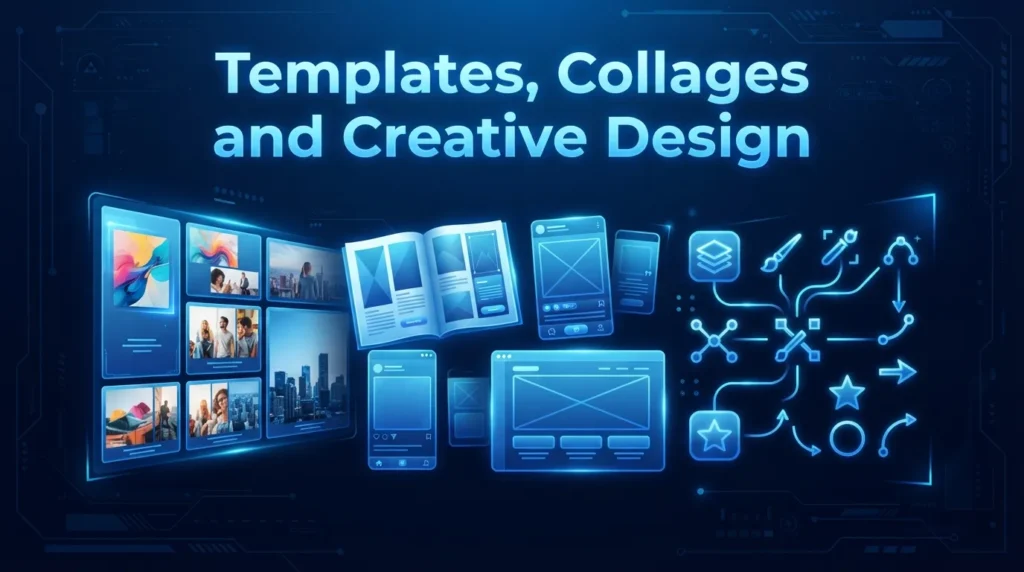
Templates are an important part of Fotor because they allow users to start projects from professionally arranged layouts rather than creating every element manually. Templates can provide a basic structure for social media posts, advertisements, banners, invitations, promotional graphics, and other content. Users can then replace images, modify text, change colors, and adjust other elements.
The platform also supports collage creation, which can be useful for combining multiple photographs into one visual composition. Users can arrange several images within different layouts and customize spacing, backgrounds, borders, and other available design elements. This makes collage tools useful for travel memories, family photographs, product collections, portfolios, and social media posts.
Fotor also provides design elements that can help users customize their projects. Depending on the available tools and plan, creators can work with text, shapes, stickers, icons, backgrounds, frames, graphics, and other visual resources. Combining these elements with photographs allows users to create complete designs without needing a separate application for every small task.
Portrait Retouching and Background Removal
Portrait editing is another area where Fotor can be useful for creators who want to improve photographs quickly. Retouching tools can help enhance skin appearance, reduce visible imperfections, improve facial details, and create a more polished portrait. These features can be useful for profile pictures, social media photographs, professional headshots, and personal portraits.
Background removal is particularly helpful when the subject needs to be placed into a different design. An image containing a person or product can be separated from its original background and then placed over a new color, photograph, pattern, or graphic. This workflow is commonly used for product promotions, advertisements, online stores, social media posts, and thumbnails.
Fotor can also combine retouching and background editing with other design features. After isolating a subject, users can adjust its position, add text, apply effects, change the background, and create a complete promotional composition. This makes the platform useful for creators who need quick visual content without building every element from scratch. For users who need more advanced layers, masks, selections, professional retouching, compositing, and AI-powered image editing, our Adobe Photoshop complete guide provides a deeper look at professional editing workflows.
Graphic Design, Text and Social Media Content
Fotor provides graphic-design features that allow users to create visual materials for different online and offline purposes. Creators can combine photographs with text, shapes, backgrounds, decorative elements, and other graphics. This makes the platform suitable for promotional posts, advertisements, banners, thumbnails, announcements, and personal designs.
Typography is another key component of graphic design. Users can add text to images and modify properties such as font style, size, alignment, spacing, color, and position. Text can be combined with photographs and design elements to create visual messages suitable for marketing campaigns, social media content, and informational graphics.
Fotor is also useful for social media content creators who need to produce content in various formats. Instead of manually calculating dimensions for each project, users can start with appropriate layouts and customize them for their target platform. Consistent colors, fonts, images, and design styles help creators establish a recognizable visual identity across their content. Users looking for another user-friendly design platform might also explore Canva for templates, graphic design, social media content, presentations, photo editing, and AI-powered creative tools.
Export, Sharing and Content Creation Workflow
Fotor supports a workflow that takes users from image upload through editing and final export. After completing a project, users can save or download the result using available export options. The appropriate format and quality depend on the intended use, such as social media publishing, website use, personal storage, or professional delivery.
Fotor supports a workflow that guides users from image upload through editing to final export. Once a project is complete, users can save or download the result using the available export options. The appropriate format and quality depend on the intended use, such as social media posting, website use, personal storage, or professional delivery.
For creators managing various types of content, Fotor offers a convenient workspace for both photography and design. A user can edit a product photo, remove the background, add promotional text, and prepare the final image for an online store or social media campaign. Combining these steps into a single platform reduces the need to switch repeatedly between different applications.
The platform also supports recurring content workflows. A business can create a promotional template and reuse its structure for different products or campaigns. A content creator can develop a cohesive visual style and apply similar designs to multiple posts. This approach streamlines repetitive design tasks and helps maintain consistency across a set of visual assets.
Performance, Accessibility, Use Cases, and Limitations
Fotor is accessible via online workflows, making it convenient for users who do not wish to install large, professional-grade editing software. Browser-based editing can be particularly useful for students, casual creators, small businesses, and social media users who need to make quick edits from a compatible device. The exact experience may vary depending on the device, browser, internet connection, and available account features.
The platform caters to a wide range of users. Beginners can utilize auto-enhancement and templates; social media creators can produce posts and graphics; businesses can create marketing materials; photographers can perform quick corrections; and online sellers can prepare product images. Its broad feature set makes it more versatile than a basic filter app, while keeping many common tasks relatively accessible.
However, Fotor does not replace specialized professional software for all advanced workflows. Professional photographers and designers requiring highly detailed RAW processing, advanced compositing, extensive typographic controls, complex vector design, or high-precision pixel manipulation may prefer dedicated applications. Users should also verify the current availability of free versus paid features, as advanced tools, export options, AI capabilities, and premium assets may depend on the selected plan.
Conclusion
Fotor offers a convenient blend of photo editing, AI enhancement, portrait retouching, background removal, templates, collages, graphic design, and social media content creation. Its intuitive interface makes many common editing tasks easy for beginners, while its AI tools reduce repetitive work and unlock additional creative possibilities. The platform is particularly useful for users who want to edit photos and create complete visual designs within a single workspace.
For casual users, creators, marketers, small businesses, and social media professionals, Fotor offers a practical alternative to more complex editing workflows. It handles everything from quick photo fixes to creative projects requiring templates, text, backgrounds, and AI tools. While users with highly specialized professional needs might require dedicated applications, Fotor’s blend of accessibility and modern editing capabilities makes it a useful choice for everyday visual content creation.

2 Comments