
Remini: Complete Guide to AI Photo Enhancement 2026
Remini is an AI-powered photo and video enhancement platform designed to improve the quality of blurry, old, noisy, pixelated, and low-resolution visual content. Instead of requiring users to manually adjust numerous editing controls, it uses artificial intelligence to analyze images and enhance details, faces, colors, and overall clarity.For more information about different creative tools, explore photo and video editing apps and compare their features for different editing needs. The platform also provides tools for restoring old photographs, enlarging images, improving videos, and generating AI photos.
This Remini guide explains its major features, how its enhancement tools work, what types of images and videos it can improve, and how creators can use it for personal, social media, business, and photography projects. The platform is especially useful for people who want quick improvements without learning complicated professional editing software. Its current feature set includes face enhancement, background enhancement, color improvement, denoising, sharpening, photo restoration, image enlargement, video enhancement, and AI-generated photos.
What Is Remini
Remini is an AI-based visual enhancement platform focused on improving the quality of photographs and videos. Its technology analyzes visual information and attempts to reconstruct or enhance details that may be difficult to see in the original file. This makes it particularly useful for old photographs, blurry portraits, low-quality images, noisy pictures, and footage that needs additional clarity.
Unlike traditional photo editors that require users to manually adjust sharpening, contrast, color, noise reduction, and other settings, Remini automates much of this process. A user can upload an image, select an appropriate enhancement option, and allow the AI system to process the visual content. This simplified workflow is one of its biggest advantages for beginners and casual creators.
The platform can be used for several different purposes. Someone may want to restore a family photograph, improve a portrait for social media, clean up an old image, enhance a product photograph, or increase the quality of a low-resolution picture. Professional users can also use AI enhancement as part of a broader workflow before completing additional adjustments in another editing application.
AI Photo Enhancement
The primary purpose of Remini is to improve the quality and clarity of photographs through AI-powered enhancement. The system analyzes an uploaded image and attempts to improve important visual details while maintaining the overall appearance of the original. This can be particularly useful when a photograph is blurry, pixelated, compressed, or captured at a low resolution.
The low-quality enhancement system is designed to transform grainy and pixelated photographs into clearer images. According to the official platform, images can be enlarged by up to 2x while their quality is enhanced, with supported enlargement reaching up to 4096 × 4096 pixels.
For users working with older digital photographs, Remini can provide a convenient way to improve images without manually rebuilding every detail. However, AI enhancement should not be treated as a perfect reconstruction of information that was never captured by the original camera. The generated result is an enhancement produced by an AI system, so users should review important images carefully.Users interested in exploring another image-editing platform can also learn more about Fotor and its range of photo enhancement and creative editing tools.
Face Enhancement
Face enhancement is one of the most recognizable features of Remini. The platform is designed to identify facial details and improve areas such as clarity, skin appearance, lighting, and facial definition. This makes the tool particularly useful for portraits, selfies, family photographs, and social media images.
The face enhancement system can improve uneven skin texture and reduce visible imperfections while attempting to maintain the person’s recognizable appearance. It can also improve lighting and color around facial features, creating a cleaner and more polished portrait.
For portrait photographers and social media creators, Remini can be useful when an otherwise good photograph suffers from softness or insufficient detail. Rather than applying the same sharpening effect to the entire image, face-focused enhancement can concentrate processing on the most important part of a portrait.
Face Glow and Portrait Enhancement
Another portrait-focused capability is Face Glow, which is intended to give people a refreshed and enhanced appearance. Remini can adjust elements of a portrait to create a more polished visual result while retaining individual facial characteristics. The platform describes its face tools as being designed around subtle improvements rather than completely changing a person’s identity.
Lighting is particularly important in portrait photography. A photograph can contain good facial detail but still appear dull because of poor lighting. AI-assisted enhancement can help improve the overall appearance by adjusting brightness, colors, and facial details.
These tools are useful for profile pictures, social media photographs, personal portraits, and other situations where facial clarity is important. Creators should still review the final image because aggressive enhancement can sometimes produce an overly processed appearance.
Unblur and Sharpener
The Unblur and Sharpener feature is designed to address blurry photographs and footage affected by focus problems, camera movement, or motion blur. Remini analyzes the image and attempts to reconstruct sharper edges and more visible details.
This feature can be useful for photographs that are slightly out of focus or contain movement-related softness. Old family pictures, casual smartphone photographs, and images affected by camera shake can sometimes benefit from this type of enhancement.
The technology can make a significant visual difference when the original image contains enough information for the AI to work with. However, extremely blurred photographs may still have limitations because missing visual information cannot always be recovered accurately.
Old Photo Restoration
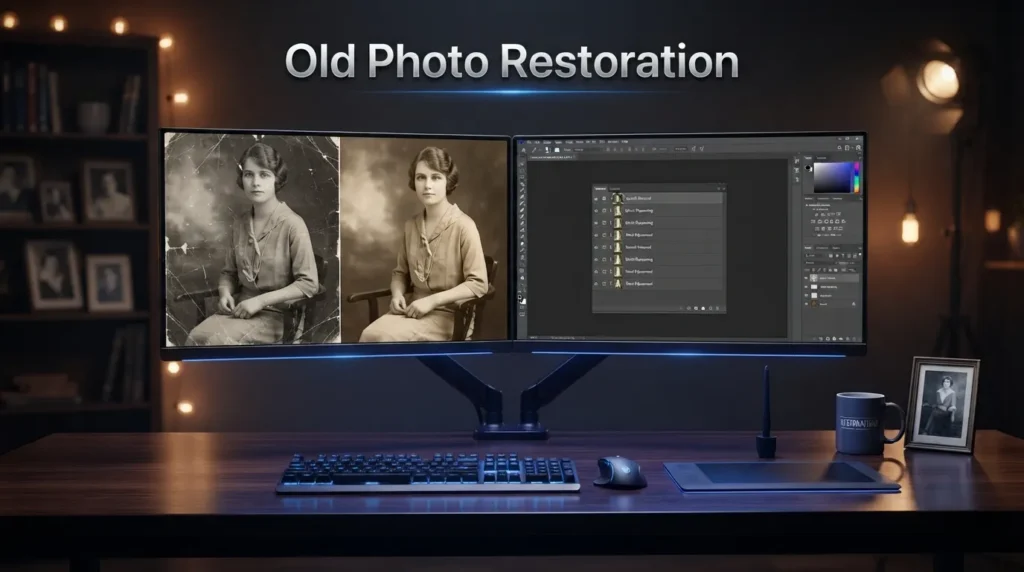
Old photo restoration is another major feature of Remini. It is designed to improve faded, damaged, blurry, and degraded photographs by sharpening details, reducing visual noise, and improving overall clarity.
This feature can be especially valuable for family archives and historical photographs. Older printed photographs may contain scratches, fading, grain, low contrast, and other forms of degradation. AI restoration can help create a cleaner digital version that is easier to view and preserve.
The platform also describes its ability to identify faces in old group photographs and enhance facial details. This can be useful when working with photographs where people are difficult to recognize because of age-related degradation or low image quality.
Denoiser
Noise reduction is another important part of Remini. Digital noise can appear as unwanted grain or speckling, especially in photographs captured in low-light conditions or with older cameras. The Denoiser feature is designed to reduce this unwanted noise while maintaining important details.
Removing excessive noise can make photographs appear cleaner and more professional. This can be useful for portraits, indoor photographs, night images, older photographs, and other pictures where grain distracts from the subject.
The tool can also be useful for restoring old film photographs because accumulated grain and noise can make historical images difficult to view. After processing, users can compare the enhanced version with the original to determine whether the result preserves enough natural detail.
Color Enhancement and Auto Color
Color plays an important role in image quality, and Remini provides AI-assisted color improvement tools designed to make photographs appear more vibrant and balanced. Its Color Fixer can enhance exposure, saturation, vibrancy, tones, and other color characteristics.
Auto Color can be especially useful for faded photographs. Older images can lose their original vibrancy over time, resulting in washed-out colors and weak contrast. AI-assisted color correction can help restore a more visually appealing appearance.
Users can also use color enhancement to create different moods. Warmer adjustments can make a photograph feel more inviting, while cooler tones can create a different atmosphere. The main advantage is that much of the adjustment process can be automated instead of requiring detailed manual color grading.
Background Enhancement and Image Upscaling
| Feature | Details |
|---|---|
| Background Enhance | Improves the clarity and definition of landscapes, objects, clothing, buildings, and other background elements. |
| Image Enlarger | Increases image dimensions while attempting to preserve and improve visual quality. |
| Upscaling | Useful for making small images more suitable for websites, printing, marketing materials, and social media designs. |
| AI Detail Enhancement | AI processing attempts to reconstruct additional visual details when enlarging low-resolution images. |
| Supported Enlargement | The provided information states that images can be enlarged up to 2x and supports images up to 4096 × 4096 pixels through its image enlargement system. |
Background enhancement is particularly useful when the main subject is clear but the surrounding environment appears soft or lacks detail. It can benefit travel photographs, product images, lifestyle content, landscapes, and outdoor scenes.
AI Video Enhancement and Restoration
| Feature | Details |
|---|---|
| AI Video Enhancement | Improves clarity and visual quality in low-quality video footage. |
| Video Upscaling | The provided information states that videos can be enhanced and enlarged by up to 2x. |
| AI Video Restoration | Processes older footage to improve details affected by low resolution, blur, or image degradation. |
| Old Video Enhancement | Can be useful for family recordings, historical footage, and older smartphone videos. |
| Result Limitations | AI enhancement does not literally recover every original detail; results depend on the quality and condition of the source footage. |
Color Enhancement and Auto Color
Color plays an important role in image quality, and Remini provides AI-assisted color improvement tools designed to make photographs appear more vibrant and balanced. Its Color Fixer can enhance exposure, saturation, vibrancy, tones, and other color characteristics.
Auto Color can be especially useful for faded photographs. Older images can lose their original vibrancy over time, resulting in washed-out colors and weak contrast. AI-assisted color correction can help restore a more visually appealing appearance.
Users can also use color enhancement to create different moods. Warmer adjustments can make a photograph feel more inviting, while cooler tones can create a different atmosphere. The main advantage is that much of the adjustment process can be automated instead of requiring detailed manual color grading.For creators who want more detailed control over color, exposure, RAW processing, and photographic adjustments, Adobe Lightroom provides a more extensive photo-editing workflow.
Remini Use Cases and Platforms
Remini can be used for a wide range of personal and professional image-editing needs. Its AI Photos feature can help users create polished portraits for professional profiles, CVs, portfolios, and business-related social accounts, while social media creators can generate different visual variations for profile pictures and online content. The platform can also enhance portraits, improve facial details, increase image clarity, and create AI-generated variations, making it useful for creators who need high-quality visuals without arranging frequent photoshoots. Users should ensure that AI-generated professional images remain an honest representation of themselves and do not create misleading identities or qualifications.
Another important use of Remini is restoring old family photographs. Older printed images can suffer from faded colors, blur, grain, scratches, and limited detail, while Remini’s enhancement and restoration tools can help improve facial features and overall clarity. Enhanced images can be easier to archive, share digitally, or prepare for printing. Users should keep the original scan or photograph separately so that the original remains preserved.
The platform’s enlargement capabilities can also help prepare smaller photographs for larger prints, although final print quality will still depend on the original image, enlargement level, printer, paper, and other factors.
Businesses and ecommerce sellers can also use Remini to improve visual content such as product photographs. Sharper and more detailed images can help products appear clearer on websites, catalogs, advertisements, and social media campaigns, particularly when customers need to examine textures, materials, or small details.After enhancing product images, businesses can also use Canva to create social media graphics, promotional designs, advertisements, and other visual marketing materials.
AI enhancement should be used carefully, however, because businesses should not alter product images in ways that create a misleading impression of the actual product. This makes Remini useful as an enhancement tool while still requiring accurate and responsible visual representation.Remini provides both mobile and web-based experiences, making it convenient for users with different editing workflows.
The AI Photos feature is available on mobile, while professional enhancement can also be accessed through the web experience. Smartphone users can capture, enhance, and prepare photographs for social media from the same device, while the web experience can be useful for users working from a computer. Feature availability may differ between platforms and subscription plans, so users should check the current options before starting a particular editing or enhancement workflow.
How to Use Remini: Advantages and Limitations
Using Remini is generally straightforward because its AI-powered workflow allows users to select or upload a photograph or video, choose an appropriate enhancement tool, and let the system process the content. Users can select face enhancement or unblur for blurry portraits, Photo Restorer for old photographs, Denoiser for noisy images, and Color Fixer for faded colors. After processing, comparing the enhanced version with the original is recommended because AI may sometimes reconstruct details differently from the source.
One of the main advantages of Remini is that it simplifies enhancement tasks that would otherwise require manual adjustments. Its tools cover portraits, old photographs, low-quality images, noise, colors, backgrounds, enlarged images, and videos, making it useful for different types of content. The straightforward workflow is particularly helpful for beginners who want quick improvements without learning complex layers, masks, curves, or manual retouching techniques.
Despite its strengths, Remini has some limitations that users should consider. When an original image contains very little information, AI may reconstruct details rather than accurately recover them, which can sometimes change facial textures or other visual elements. For advanced professional editing, Remini is better viewed as an enhancement tool rather than a complete replacement for software offering detailed layers, masks, compositing, typography, and manual color grading.
For users who need deeper manual control over these areas, Adobe Photoshop provides advanced tools for layers, masks, retouching, compositing, typography, and detailed image editing.
Privacy, AI Content, and Beginner Experience
When using AI-powered visual services, users should understand how their uploaded content is handled. Remini’s published privacy documentation explains that information about faces in uploaded images and videos can be processed for enhancement and requested AI image creation. Users should review the current privacy policy and terms before uploading sensitive photographs, particularly images containing children, family members, confidential business material, or other people.
AI-generated images should also be reviewed carefully before publication because users remain responsible for the content they upload and create. Generated photographs should be used ethically and should not mislead viewers or create false identities. For important personal or professional images, keeping the original file alongside the enhanced version provides a useful reference and helps users decide whether the AI result accurately represents the source.
Remini can be a useful option for beginners because its enhancement process is considerably simpler than traditional professional editing workflows. New users can focus on solving a specific image problem rather than learning the entire application at once. Tools such as unblur, Denoiser, Photo Restorer, and Color Fixer allow beginners to address common image-quality issues while gradually becoming familiar with AI-based photo enhancement.
Final Thoughts
Remini has developed into a broad AI-powered platform for improving photographs and videos. Its tools cover low-quality enhancement, face enhancement, unblurring, noise reduction, color improvement, background enhancement, old photo restoration, image enlargement, and video enhancement. Its newer AI Photos feature also expands the platform into generative photography.
For beginners, the main attraction is its simple workflow and automated processing. For photographers and creators, it can function as a quick enhancement stage before additional editing in another application. For families, its restoration capabilities can help improve old photographs, while businesses can use enhancement tools for product and marketing imagery.
Overall, Remini is best suited to users who want fast AI-assisted improvements rather than a traditional manual editing environment. Its effectiveness depends on the original quality of the image or video, and important results should always be compared with the original file before being saved, printed, or published.

2 Comments